모든 글
약 39분 분량 학습 프로젝트/토이 커널

fork, ELF 로더, 그리고 파일시스템
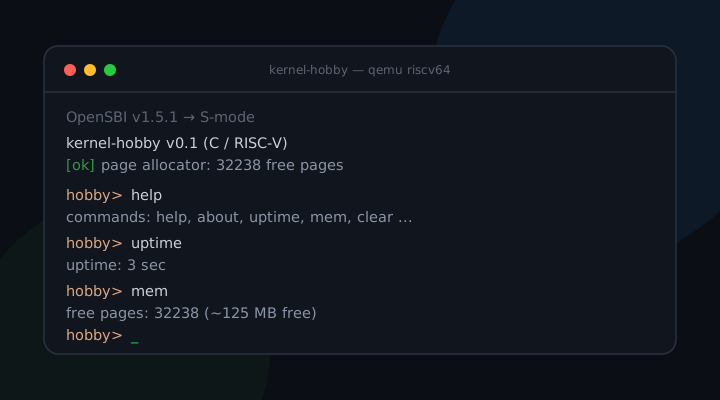
목차

0. 들어가며

2편에서 유저 프로세스까지 왔습니다. U-mode, 시스템콜, 선점형 스케줄러, 프로세스별 주소공간까지요.
이번 글은 그 위에 유닉스 프로세스 모델의 나머지와, 완전히 새로운 축인 저장장치를 붙입니다.

세 가지 기능을 올리는데, 셋 다 결국 “무엇을 복사하고, 무엇을 공유하고, 무엇을 그대로 두느냐”라는 같은 질문을 풉니다.

  1. fork()로 주소공간을 복제한다. 무엇을 복사하고 무엇을 공유할까?
  2. ELF 로더로 따로 컴파일한 진짜 프로그램을 적재한다. 파일의 어느 바이트를 메모리 어디에 둘까?
  3. 파일시스템으로 virtio-blk 디스크(virtio = 가상머신용 표준 가상 장치 규약)를 읽어 ls / cat을 제공한다. 헐벗은 블록 배열을 어떻게 “파일”로 약속할까?

3번은 한 번에 안 됐습니다.
virtio 드라이버를 디버깅하며 만난 volatile 한 줄이 이번 글의 하이라이트입니다.
이 글은 그 세 질문을 ACID 시리즈와 같은 결, 즉 문제 먼저, 경우 나열, 비교 표, 오해 정정 순서로 실제 커널 코드에 기대어 풀어 봅니다.

1. fork()가 풀어야 하는 진짜 문제

“프로세스가 자신을 복제한다.” 한 번 호출했는데 이 되고, 부모에겐 자식 pid를, 자식에겐 0을 반환한다.

말은 단순하지만 구현은 까다롭습니다.
유닉스에서 새 프로그램을 띄우는 방식이 “fork로 나를 복제한 뒤, 그 복제본만 새 프로그램으로 갈아끼운다(exec)“라서, “복제”와 “교체”를 두 단계로 쪼개 둔 것입니다. 그 사이에 자식의 환경을 손볼 틈이 생깁니다(파일 리다이렉트, 권한 낮추기 등).

겉보기에 fork는 마술 같습니다.
한 번 호출했는데 두 곳에서 리턴합니다. 부모 쪽에서 한 번, 자식 쪽에서 한 번입니다.
구현 관점에서 fork가 진짜로 답해야 하는 질문은 딱 둘입니다:

  1. 자식의 주소공간을 어떻게 만드는가? 부모 메모리의 무엇을 복사하고 무엇을 공유할 것인가?
  2. 자식이 어떻게 “fork에서 0을 받고 돌아온” 상태로 깨어나는가? 그것도 새 복귀 코드 없이.

이 두 질문을 1편의 페이징과 2편의 트랩 프레임을 그대로 재활용해 풉니다.

경우 나누기: 페이지마다 복사 정책이 다르다

자식의 주소공간을 만들 때, 부모의 모든 페이지를 같은 정책으로 다루면 안 됩니다.
페이지의 성격(읽기전용이냐, 사적으로 고쳐야 하느냐)에 따라 셋으로 갈립니다.

코드 페이지: 공유한다

둘이 같은 물리 페이지를 가리켜도 안전한가?

유저 코드는 R|X(읽기·실행)라 누가 덮어쓸 일이 없습니다.
그래서 복사하지 않고 공유합니다. 같은 물리 페이지를 부모와 자식이 같이 가리킵니다.
실제 코드에선 참조 카운트만 하나 올립니다(kref_inc). fork가 가벼워지고 메모리도 아낍니다.
일반적으로 읽기 전용으로 매핑된 페이지라면 코드뿐 아니라 .rodata(읽기 전용 데이터)도 같은 식으로 공유할 수 있습니다. 우리 구현은 한 장짜리 코드 페이지만 써서, 결과적으로 코드와 읽기전용 데이터가 한 페이지에 담겨 함께 공유됩니다.

스택 페이지: 사적으로 복사한다

자식만 고쳐 써야 하는 데이터를 공유하면?

스택은 공유하면 안 됩니다.
바로 그 위에 얹힌 트랩 프레임에서 자식 것만 a0을 0으로 바꿔야 하는데, 공유하면 부모 프레임까지 망가집니다.
그래서 kalloc()으로 새 페이지를 받아 부모 스택을 통째로 copybytes로 복사합니다.

트랩 프레임: 복사된 스택 안에서 두 필드만 수정한다

복사하면 복귀 지점도 따라온다. 그럼 무엇이 달라야 하나?

2편에서 본 것처럼, 유저가 ecall로 시스템콜을 부르면 커널은 그 순간의 레지스터 전부(=트랩 프레임, struct regframe)를 유저 스택 위에 저장합니다.
이 프레임 안에 “어디로 돌아갈지(sepc)“와 “무슨 값을 들고 돌아갈지(a0)“가 들어 있습니다.
부모 스택을 통째로 복사하면 자식 스택에도 같은 가상주소에 같은 프레임이 들어가니, 자식이 할 일은 그 프레임에서 a0만 0으로 바꾸는 것뿐입니다.
나머지(돌아갈 주소, 스택 포인터, 모든 변수)는 부모와 글자 하나 안 틀리기 때문입니다.

구분복사 정책이유실제 코드
코드 페이지공유 (전체 복사 안 함)R|X 읽기전용 → 충돌 없음kref_inc(parent->ucode)
스택 페이지사적 복사자식 프레임만 고쳐야 함copybytes(ustack, parent->ustack, PGSIZE)
트랩 프레임복사본 안에서 2필드 수정”fork에서 0 받고 복귀” 흉내cf->a0=0; cf->sepc=f->sepc+4

비유하면, 게임 세이브 슬롯을 통째로 복사해 두 번째 슬롯을 만든 다음 그 사본에서 캐릭터 이름 한 글자만 바꾸는 셈입니다. 나머지 진행 상황은 완벽히 같으니, 어느 슬롯에서 이어 해도 바로 그 지점부터입니다.

우리 코드는 어떻게

실제 proc.cproc_fork() 핵심입니다.
위 세 경우가 코드에 그대로 드러납니다.

// proc.c — proc_fork(struct regframe *f) 핵심
// f = 부모의 트랩 프레임 포인터(유저 스택 위, ecall 시점 상태)
// 코드 페이지: 복사 대신 공유(읽기전용이라 안전) — fork가 가벼워진다
kref_inc(parent->ucode);
child->ucode = parent->ucode;
// 스택 페이지: 사적 복사(트랩 프레임을 자식만 고쳐 써야 하므로)
char *ustack = kalloc();
copybytes(ustack, parent->ustack, PGSIZE);
child->ustack = ustack;
child->pagetable = proc_pagetable((uint64)parent->ucode, (uint64)ustack);
// 복사된 자식 스택 안의 트랩 프레임을 손본다.
// 부모 프레임은 유저 VA (uint64)f 에 있고, 물리적으론 복사본 ustack 안
// 같은 오프셋에 들어 있다.
uint64 off = (uint64)f - USERSTACK;
struct regframe *cf = (struct regframe *)(ustack + off);
cf->a0 = 0; // 자식의 fork() 반환값 = 0
cf->sepc = f->sepc + 4; // ecall 다음 명령부터(부모와 같은 지점)
// 자식의 "첫 실행 진입점"을 forkret으로, 프레임 VA를 기억시킨다
child->context.ra = (uint64)forkret;
child->context.sp = (uint64)USERSTACKTOP; // forkret이 잠깐 쓸 스택
child->tf_va = (uint64)f; // 트랩 프레임 VA(자식에서도 동일)

여기서 off = (uint64)f - USERSTACK이 핵심입니다.
부모 프레임이 유저 가상주소 f에 있다면, 스택 페이지 시작(USERSTACK)으로부터의 거리(off)는 부모와 자식이 같습니다.
그래서 자식의 물리 복사본(ustack)에서 같은 off만큼 들어가면 자식 프레임의 정확한 위치를 짚고, 거기서 a0sepc만 고치는 것입니다.

흔한 오해 정정: sepc + 4를 “그냥 +4”로 외우면 안 됩니다. 이건 “ecall 명령 다음으로 돌아가라”는 뜻이고, ecall은 (압축 형식이 없어) RISC-V에서 항상 4바이트 명령이라 4를 더하는 것입니다. 빼먹으면 자식이 복귀하자마자 같은 ecall을 다시 만나 영원히 fork만 재호출합니다. 부모는 왜 안 그럴까요? 부모의 sepc+4는 트랩 진입·복귀 공통 경로가 이미 처리해 줍니다. 자식은 그 경로를 타기 전에 프레임을 직접 만들어 넣는 것이라, 여기서 손수 더해 줘야 합니다.

자식이 처음 스케줄되면 context.ra를 따라 **forkret**으로 들어갑니다.

// proc.c — fork된 자식의 첫 실행 진입점
void forkret(void) {
release(&pt_lock); // 스케줄러가 잡아준 락을 놓는다
struct proc *p = cpu_proc[r_tp()];
trapret_from(p->tf_va); // sp=프레임 VA로 잡고 트랩 복귀(안 돌아옴)
}

forkret은 기억해 둔 tf_va(프레임 VA)로 sp를 잡고, 2편에서 만든 트랩 복귀 공통 경로(trapret_from)를 그대로 탑니다.
이 공통 경로는 프레임에서 레지스터를 복원하고 sret으로 U-mode에 떨어뜨리는 코드입니다. 부모가 시스템콜에서 돌아갈 때 타는 길과 똑같습니다.
즉 자식은 “부모가 시스템콜에서 복귀하는 길”을 그대로 따라가되, 프레임 안 a0만 0이라 반환값만 달라지는 것입니다.
fork를 위해 새 복귀 코드를 짤 필요가 전혀 없었던 것입니다. 위에서 던진 두 번째 질문의 답입니다.

한 장으로 정리

  • 부모의 ecall → 트랩 프레임이 유저 스택에 저장됨(2편의 메커니즘)
  • 자식 = 스택 페이지 복사(+ 코드 페이지 공유) → 같은 VA에 같은 프레임
  • 자식 프레임에서 a0=0, sepc+=4만 수정
  • 자식 첫 실행 → forkrettf_vasp 잡고 → 공통 트랩 복귀(trapret_from)
  • 결과: 부모와 같은 지점에서 깨어나되, fork 반환값만 0
[parent] fork() returned a child; we are two now.
[child] hello -- I was created by fork().
hobby> ps
spinK (kernel pid=0): ticks=7945564
userP (user pid=1): ticks=13 ← 부모
userP+ (user pid=2): ticks=10 ← fork로 태어난 자식

하나였던 유저 프로세스가 둘이 되어(userPuserP+userP+), 커널 스레드(spinK)와 함께 셋이 선점 스케줄됩니다.
자식 이름 끝의 +proc_fork가 부모 이름에 붙여 준 표식입니다.

2. ELF 로더가 풀어야 하는 진짜 문제

“따로 컴파일한 진짜 프로그램을 적재한다.” 파일의 어느 바이트를, 메모리 어디에, 어떻게 펼쳐 놓을 것인가?

지금까지(2편) 유저 프로그램은 커널 소스 안에 인라인 어셈블리로 박혀 있었습니다.
부팅용 데모로는 충분했지만 한계가 뻔합니다. 프로그램을 바꿀 때마다 커널을 다시 빌드해야 하고, C로 짠 진짜 프로그램을 못 올립니다.

그래서 이번엔 유저 프로그램을 따로 컴파일한 진짜 ELF 바이너리(ELF = Executable and Linkable Format, 리눅스 등에서 쓰는 실행파일 표준 포맷)로 바꿉니다.
riscv64-elf-gccuser/init.c를 독립 컴파일하면 ELF 파일이 나오는데, 이걸 .incbin으로 커널 이미지에 데이터로 임베드해 두고(initcode[]), 부팅 때 커널이 파싱해서 적재합니다.
나중(이 글 후반)엔 같은 로더로 디스크에 있는 프로그램도 적재하게 되니, 로더는 exec의 심장입니다.

배경 개념: ELF라는 적재 지도

ELF 헤더: 지도책의 표지

“이 바이트 덩어리가 진짜 실행 파일인가? 진입점은 어디인가?”

ELF(Executable and Linkable Format)는 리눅스·BSD가 쓰는 표준 실행 파일 포맷입니다.
핵심만 보면 “헤더 + 세그먼트들의 목록”입니다. “이 바이트 덩어리를 메모리 어디에 어떻게 펼쳐 놓아라”라는 지도책입니다.

ELF 맨 앞 ELF 헤더에 매직 넘버(0x7F 'E' 'L' 'F'), 진입점(e_entry), 그리고 “프로그램 헤더가 어디 있는지(e_phoff)·몇 개인지(e_phnum)“가 적혀 있습니다.

프로그램 헤더: 한 줄짜리 적재 지시

“이 세그먼트를 파일 어디서 가져와, 메모리 어디에, 얼마나 펼치라는 건가?”

프로그램 헤더(PT_LOAD 항목)가 한 줄의 적재 지시입니다.

  • p_offset : 파일의 이 위치에서
  • p_filesz : 이만큼 바이트를
  • p_vaddr : 이 가상주소에 둬라
  • p_memsz : 단, 메모리에선 이만큼 차지하게 하라(나머지는 0으로)

마지막 항목이 .bss(초기값 0인 전역변수) 처리입니다.
파일에는 0을 굳이 저장 안 하니까(p_filesz < p_memsz), 차이만큼 메모리를 0으로 채워 주면 됩니다.

우리 코드는 어떻게

실제 elf.cload_elf()입니다.
먼저 매직 넘버로 진짜 ELF인지 확인하고, 프로그램 헤더를 한 줄씩 훑어 PT_LOAD만 적재합니다.

// elf.c — PT_LOAD 세그먼트 적재
int load_elf(const char *img, char *codepage, uint64 *entry) {
const struct elf64_ehdr *eh = (const struct elf64_ehdr *)img;
// 매직 넘버 0x7F 'E' 'L' 'F' 확인 (생략)
*entry = eh->e_entry; // 진입점 주소
for (int i = 0; i < eh->e_phnum; i++) { // 프로그램 헤더 개수만큼
const struct elf64_phdr *ph =
(const struct elf64_phdr *)(img + eh->e_phoff + (uint64)i * eh->e_phentsize);
if (ph->p_type != PT_LOAD) continue; // 적재 대상만
uint64 off = ph->p_vaddr - USERVA; // 코드 페이지 안에서의 오프셋
if (off + ph->p_memsz > PGSIZE) { // 우린 1페이지로 제한
uart_puts("[elf] segment too big (>1 page)\n");
return -1;
}
copyb(codepage + off, img + ph->p_offset, ph->p_filesz);
// p_memsz > p_filesz 부분(.bss)은 codepage가 미리 0이라 자동 처리
}
return 0;
}

여기서 off = ph->p_vaddr - USERVA 한 줄이 핵심입니다.
유저 프로그램을 USERVA(0x1000)에 링크했으니, p_vaddr에서 USERVA를 빼면 “한 장짜리 코드 페이지 안에서의 위치”가 나옵니다.
그래서 우리는 페이지 테이블을 거치지 않고 그냥 식별 매핑된 커널 메모리(codepage)에 직접 펼쳐 두고, 나중에 그 물리 페이지를 유저의 USERVA에 매핑하면 끝입니다.

흔한 오해 정정: “.bss는 로더가 0으로 채운다”고 흔히 생각하지만, 이 로더엔 .bss를 따로 0으로 미는 코드가 없습니다. 호출하는 쪽(make_user_proc)이 kalloc() 직후 zero(code, PGSIZE)로 페이지를 미리 0으로 밀어 두기 때문에, p_filesz만큼만 복사하면 그 뒤(.bss)는 저절로 0입니다. “미리 0으로 깔아 두고 필요한 만큼만 덮어쓴다”는 1편 demand paging에서도 본 패턴입니다.

// proc.c — make_user_proc(): 로더를 부르는 쪽
char *code = kalloc();
zero(code, PGSIZE); // .bss 대비 미리 0
uint64 entry;
if (load_elf(initcode, code, &entry) != 0) // 임베드된 ELF를 파싱·적재
return 0;
if (entry != USERVA) // _start는 USERVA에 링크돼 있어야
uart_puts("[warn] elf entry != USERVA\n");

함정 / 주의

  • 한 페이지 제한: 지금 로더는 세그먼트가 한 페이지(4KB)를 넘으면 거절합니다(off + p_memsz > PGSIZE). 그 대신 주소 배치가 1편부터 써온 “코드 1페이지 + 스택 1페이지”와 정확히 맞아떨어져, 1절의 fork(스택 복사)·페이징과 마찰이 없습니다. 더 큰 프로그램은 나중 편에서 멀티 페이지로 확장합니다.
  • 링크 주소 고정: _start가 반드시 USERVA에 링크돼 있어야 off 계산이 맞습니다. 그래서 위에서 entry != USERVA를 경고로 잡아 둔 것입니다.

이제 user/init.c는 커널과 무관한 평범한 C 프로그램입니다.
시스템콜 래퍼만 있으면 fork·print·exit를 부를 수 있습니다.

user/init.c
void _start(void) {
long pid = sys_fork(); // 자신을 복제
sys_print(pid); // 부모/자식 메시지
for (int i = 0; i < 25; i++) { sys_tick(); /* busy wait */ }
sys_exit();
}

3. 파일시스템이 풀어야 하는 진짜 문제

“헐벗은 블록 배열에서 파일을 읽는다.” 512바이트 블록이 쭉 늘어선 배열을, 어떻게 ls/cat이 되는 “파일”로 약속할 것인가?

마지막은 완전히 새로운 축, 저장장치입니다.
지금까지는 모든 게 RAM 안에서만 살았는데, 이제 전원을 꺼도 남는 디스크를 붙이고 거기서 파일을 읽습니다.
이번 글에선 가장 단순한 형태인 읽기 전용 파일시스템으로 시작합니다.
(파일을 만들고 지우는 쓰기, 크래시에도 안 깨지는 저널링은 다음 편 주제입니다. 이번 글에서 다룰 트랜잭션은 ACID 시리즈의 영역이고, 여기 커널에선 “디스크에서 읽어 보여 주기”에만 집중합니다.)

이 문제는 두 층으로 갈라야 풀립니다.

  • 아래층(블록 드라이버): virtio-blk 디스크에서 “512바이트 블록 하나”를 읽고 쓰는 법
  • 위층(파일시스템): 그 블록들 위에 “파일”이라는 개념을 올려 ls/cat을 제공하는 법

3-1. 디스크 레이아웃: 블록을 어떻게 약속할까

디스크는 그냥 512바이트짜리 블록(섹터)이 쭉 늘어선 배열입니다.
이 헐벗은 블록 배열에 “0번 블록엔 뭐가, 1번 블록엔 뭐가 있다”는 약속을 씌운 게 파일시스템입니다.
우리 약속은 아주 단순합니다.

블록 0 슈퍼블록 (magic + 파일 수 + 전체 블록 수)
블록 1 디렉터리 (파일 8개분: 이름, 크기, 시작 블록)
블록 2.. 파일 데이터 (각 파일은 시작 블록부터 연속 배치)
  • 슈퍼블록(블록 0)은 표지입니다. 매직 넘버로 “이게 우리 파일시스템이 맞는지” 확인하고, 파일이 몇 개인지 적어 둡니다.
  • 디렉터리(블록 1)는 목차입니다. 파일마다 {이름, 크기, 시작 블록} 한 줄(fs_dirent)입니다. 한 블록(512B)에 64바이트짜리 항목 8개가 들어가니, 최대 8개 파일입니다.
  • 그 뒤로 파일 데이터가 연속 블록으로 놓입니다.

이 레이아웃은 fsformat.h 한 파일에 정의돼 있고, 커널과 호스트 도구가 같이 인클루드합니다.
그래서 호스트(맥)에서 tools/mkfs로 디스크 이미지를 만들 때와 커널이 그걸 읽을 때가 글자 하나 안 어긋납니다.

// fsformat.h — 커널과 mkfs가 공유하는 온디스크 포맷
struct fs_dirent { // 64바이트 → 한 블록(512)에 8개
char name[NAMELEN]; // 파일명 (NAMELEN=56)
unsigned int size; // 파일 크기(바이트)
unsigned int start; // 시작 블록 번호
};

3-2. 블록 드라이버: virtio로 디스크와 대화하기

이제 “블록 하나 읽어와”를 실제로 어떻게 하느냐입니다.
디스크에 직접 명령을 쓰는 것이 아닙니다.

왜 PIO 대신 virtio인가

“장치 레지스터를 직접 두드리는 PIO와, 공유 메모리 링으로 대화하는 virtio는 무엇이 다른가?”

QEMU의 가상 디스크는 virtio 규약을 따르는데, virtio는 “게스트(우리 커널)와 호스트(디바이스)가 공유 메모리 위의 링으로 대화하는” 표준입니다.
실제 하드웨어를 흉내 내는 대신 가상화에 최적화된 인터페이스입니다. PIO든 MMIO든 CPU 입장에선 똑같이 load/store지만, virtio는 데이터를 공유 메모리에 두고 MMIO는 “알림”에만 쓰기 때문에, 매 워드마다 레지스터로 옮기는 PIO보다 레지스터 접근 횟수가 크게 줄어 한 요청을 가볍게 끝냅니다.

구분PIO(레지스터 직접 제어)virtio(가상 디바이스)
데이터 전달레지스터를 통해 한 워드씩공유 메모리 버퍼를 디바이스가 DMA(직접 메모리 접근)
한 요청당 트랩/MMIO많음(바이트·워드마다)적음(디스크립터 1체인 + 알림 1번)
완료 통지폴링/인터럽트used 링 갱신 → 폴링 또는 인터럽트
우리 구현없음3-디스크립터 체인 + 폴링

비유: 식당 주문표 시스템

  1. 게스트가 메모리에 주문서를 적는다. 이게 디스크립터 체인으로, [요청 헤더] → [데이터 버퍼] → [상태 바이트] 세 칸이 next로 엮인 것이다.
  2. 게스트가 “주문 넣었음”을 available 링에 끼워 넣는다(주문 대기열).
  3. MMIO 레지스터를 한 번 톡 쳐서(QUEUE_NOTIFY) “주문 들어갔어요”라고 종을 울린다.
  4. 디바이스가 처리하고, 다 되면 used 링(완료 대기열)에 “n번 주문 나왔습니다”를 올린다.
  5. 게스트는 used 링이 갱신될 때까지 폴링한다(인터럽트 없이 계속 들여다봄).

세 칸 디스크립터의 역할은 이렇습니다. [0]엔 “몇 번 섹터를 읽어라”는 헤더, [1]엔 데이터가 담길 버퍼(디바이스가 여기에 쓰므로 WRITE 플래그), [2]엔 디바이스가 성공/실패를 적을 1바이트 상태칸입니다.

// virtio.c — virtio_disk_rw(): 한 블록 읽기/쓰기
breq.type = write ? VIRTIO_BLK_T_OUT : VIRTIO_BLK_T_IN;
breq.sector = block; // 읽을 섹터 번호
desc[0].addr = (uint64)&breq; desc[0].len = sizeof(breq); // [0] 요청 헤더
desc[0].flags = VRING_DESC_F_NEXT; desc[0].next = 1; // → 다음은 [1]
desc[1].addr = (uint64)buf; desc[1].len = BSIZE; // [1] 데이터 버퍼
desc[1].flags = (write ? 0 : VRING_DESC_F_WRITE) | VRING_DESC_F_NEXT;
desc[1].next = 2; // 디바이스가 여기 씀
bstatus = 0xff;
desc[2].addr = (uint64)&bstatus; desc[2].len = 1; // [2] 상태 바이트
desc[2].flags = VRING_DESC_F_WRITE; desc[2].next = 0; // 디바이스가 결과 기록
avail->ring[avail->idx % NUM] = 0; // available 링에 체인 헤드(0)를 넣고
mb(); // 메모리 배리어: 위 쓰기를 먼저 보이게
avail->idx += 1;
mb();
R32(MMIO_QUEUE_NOTIFY) = 0; // 디바이스에 알림(종 울리기)
while (used->idx == used_seen) // used 링 갱신까지 폴링
;
used_seen = used->idx;
return (bstatus == 0) ? 0 : -1; // 디바이스가 0을 적었으면 성공

mb()(메모리 배리어, fence)는 “디스크립터를 다 적은 게 디바이스 눈에 보인 다음에 알림이 가도록” 쓰기 순서를 강제합니다. CPU와 컴파일러가 메모리 접근 순서를 재배치하지 못하게 막는 것입니다. 종을 울렸는데 주문서가 아직 안 적혀 있으면 안 되기 때문입니다.

호스트에서 mkfs로 만든 디스크 이미지를 QEMU에 붙이고 커널을 켜면, 부팅 로그에 드라이버와 마운트가 뜨고 ls/cat이 동작합니다.

[ok] virtio-blk disk ready
[ok] filesystem mounted: 2 files
hobby> ls
motd.txt (162 bytes)
readme.txt (240 bytes)
hobby> cat motd.txt
Welcome to kernel-hobby (C / RISC-V).
This text lives on a virtio-blk disk and was read by the kernel's
own filesystem driver -- not baked into the kernel image.

3-3. 파일시스템: 블록을 파일로

위층은 의외로 짧습니다.
드라이버가 “블록 하나 읽기”를 주니, 파일시스템은 디렉터리에서 이름을 찾아 → 시작 블록부터 크기만큼 블록을 이어 읽기만 하면 됩니다.

// fs.c — fs_read(): 이름으로 파일을 찾아 buf에 읽어 들인다
for (int i = 0; i < nfiles; i++) {
if (!streq(dir[i].name, name)) continue; // 디렉터리에서 이름 매칭
uint32 size = dir[i].size;
uint32 blk = dir[i].start, off = 0, remaining = size;
while (remaining > 0) { // 시작 블록부터 연속 읽기
virtio_disk_rw(blk, fsbuf, 0); // 블록 하나 → fsbuf
uint32 n = remaining > BSIZE ? BSIZE : remaining;
for (uint32 j = 0; j < n; j++) buf[off + j] = fsbuf[j];
off += n; remaining -= n; blk++;
}
return (int)size;
}

ls는 디렉터리 항목을 그냥 쭉 출력하고(fs_ls), cat은 위와 똑같이 블록을 이어 읽어 UART로 흘려보냅니다(fs_cat).
파일이 연속 블록으로 놓여 있어서 “시작 블록 + 크기”만으로 전부 읽을 수 있습니다. 단순한 만큼 빠릅니다.

흔한 오해 정정: 디스크 I/O 버퍼(fsbuf)를 static으로 둔 건 DMA 정확성 때문입니다. virtio는 게스트가 준 주소를 물리주소로 그대로 DMA에 쓰는데, 커널 .bss(식별 매핑이라 va==pa)에 있는 static 버퍼라야 그 주소가 진짜 물리주소와 일치합니다. 스택 위 지역 변수를 넘기면 주소가 어긋나 디바이스가 엉뚱한 데를 읽습니다. 1절 fork의 “공유 vs 사적 복사”가 가상주소 차원의 약속이었다면, 여기선 물리주소 차원에서 같은 주의가 필요한 셈입니다.

이 텍스트는 진짜로 디스크 이미지 안에 있고, 커널이 제 드라이버로 읽어 출력한 것입니다.
커널 이미지에 박혀 있는 것이 아닙니다.

3-4. 디버깅: 왜 멈췄을까

이 단계는 세 번 막혔습니다.
전부 교과서적인 함정이었는데, 직접 밟아 보니 책에서 한 줄로 넘어가던 게 왜 중요한지 몸으로 알 수 있었습니다.

1) virtio MMIO 매핑: 첫 접근에 페이지 폴트
1편에서 켠 페이징은 커널이 쓰는 영역만 식별 매핑해 뒀습니다.
그런데 virtio 레지스터(0x10001000)는 그 목록에 없어서, 드라이버가 첫 레지스터를 읽는 순간 페이지 폴트로 죽었습니다.
해결은 1편의 kvmmap에 UART·PLIC 옆으로 “이 MMIO 영역도 va==pa로 매핑하라”는 한 줄을 추가하는 것이었습니다.

2) 모던 vs 레거시: 기능 협상의 함정
QEMU virtio-mmio는 기본이 레거시(version 1)인데, 제 드라이버는 모던(version 2) 규약으로 짰습니다.
그래서 QEMU에 -global virtio-mmio.force-legacy=false를 줘서 모던으로 강제했습니다.
게다가 모던에선 드라이버가 디바이스와 기능 협상을 해야 큐가 살아납니다.
특히 VIRTIO_F_VERSION_1(기능 비트 32, 즉 하위 32비트가 아니라 상위 워드에 있습니다)을 반드시 수락해야 합니다.
그래서 코드가 기능 비트를 하위/상위 두 워드로 나눠 읽고 씁니다.

// virtio.c — 기능 협상: 하위 워드에선 안 쓸 기능을 끄고,
// 상위 워드에선 VERSION_1(비트 32)을 수락
R32(MMIO_DEVICE_FEAT_SEL) = 1; // 상위 워드 선택(비트 32~)
uint32 feat_hi = R32(MMIO_DEVICE_FEAT); // 비트 0 = VERSION_1
R32(MMIO_DRIVER_FEAT_SEL) = 1;
R32(MMIO_DRIVER_FEAT) = feat_hi; // 그대로 수락(VERSION_1 포함)

3) volatile: 이게 제일 좋았습니다
디바이스는 요청을 분명히 성공시켰습니다. used->idx가 1로 올라가고 상태 바이트도 0(성공)으로 바뀐 걸 디버거로 확인했습니다.
그런데 폴링 루프 while (used->idx == used_seen) ;영원히 안 끝났습니다.

원인은 컴파일러였습니다.
usedvolatile이 아니면, 컴파일러는 “이 루프 안에서 used->idx를 바꾸는 코드가 없네?”라고 보고 값을 레지스터에 한 번만 읽어 캐시해 버립니다.
그래서 디바이스가 메모리의 used->idx를 바꿔도, 루프는 레지스터에 갇힌 옛값만 비교하며 무한히 돕니다.
volatile을 붙이면 “이 메모리는 내가 모르는 사이에 변할 수 있으니 매번 메모리에서 다시 읽어라”가 됩니다.

static volatile struct virtq_used *used; // 디바이스가 비동기 갱신 → volatile

하드웨어가 비동기로 갱신하는 메모리(MMIO·DMA 링)는 반드시 volatile로 읽는다. 다만 volatile은 컴파일러가 접근을 생략하지 못하게 할 뿐, 접근들 사이의 순서까지 보장하지는 않습니다. 순서가 필요한 곳(위의 디스크립터 → 알림)은 mb() 같은 메모리 배리어를 따로 써야 합니다. 책에서 한 줄로 넘어가던 규칙인데, 한 시간 헤매고 나니 왜 그런지 몸으로 알 수 있었습니다.

정리

이번 글의 세 기능은 결국 “무엇을 복사하고, 무엇을 공유하고, 무엇을 그대로 두느냐”라는 한 질문의 세 변주였습니다.

  • fork: 코드 페이지는 공유(kref_inc), 스택은 사적 복사(copybytes), 트랩 프레임은 복사본 안에서 두 필드(a0=0, sepc+=4)만 수정한다. 새 복귀 코드 없이 2편의 trapret_from을 그대로 재활용해 “fork에서 0 받고 복귀한” 자식을 만든다.
  • ELF 로더: 프로그램 헤더(p_offset/p_filesz/p_vaddr/p_memsz)를 한 줄짜리 적재 지시로 읽고, off = p_vaddr - USERVA로 한 페이지 안에 펼친다. .bss는 미리 0으로 깐 페이지 덕에 저절로 처리된다.
  • 파일시스템: 슈퍼블록/디렉터리/연속 데이터라는 단순 약속(fsformat.h) 위에서, 3-디스크립터 virtio 체인으로 블록을 읽어 ls/cat을 올린다. DMA 정확성 때문에 버퍼는 식별 매핑된 static이어야 한다.

여기까지 오면서 운영체제의 다섯 축이 전부 동작합니다.

  • CPU: 트랩, 인터럽트, 선점형 스케줄링
  • 메모리: Sv39 페이징, 프로세스별 주소공간 격리
  • 프로세스: fork, ELF 적재, 생명주기
  • 저장장치: virtio-blk 디스크, 파일시스템
  • 인터페이스: 인터랙티브 커널 셸

부팅해서 명령을 치고, 여러 프로그램이 격리된 채 동시에 돌고, 디스크에서 파일을 읽습니다. 작지만 진짜 운영체제가 됐습니다.
xv6를 참고서 삼아 바닥부터 C로 짜며, “OS가 어떻게 도는가”를 손으로 만져 이해하는 게 목표였는데, 그 목표는 이룬 것 같습니다.

다음으로 더 간다면 유저공간 셸(셸 자체를 디스크의 프로그램으로 내리고 파일에서 exec), 쓰기 가능한 파일시스템과 크래시에도 안 깨지는 저널링(트랜잭션·원자성), 런타임 exec() 시스템콜이 남아 있습니다.
하지만 한 호흡은 여기서.

코드: github.com/dj258255/kernel-hobby

참고 (1차 자료 우선)

0. Introduction

In part 2 we got all the way to user processes — U-mode, syscalls, a preemptive scheduler, per-process address spaces.
This post builds on that foundation, adding the rest of the Unix process model and a brand-new pillar: storage.

We add three features, and all three end up answering the same question: what do we copy, what do we share, and what do we leave alone?

  1. fork() — duplicate an address space: what to copy and what to share?
  2. ELF loader — load a real, separately-compiled program: which bytes of the file go where in memory?
  3. filesystem — read a virtio-blk disk (virtio = the standard virtual-device interface for VMs) for ls / cat: how do we agree a bare array of blocks into “files”?

Number 3 didn’t work on the first try.
The single line of volatile I ran into while debugging the virtio driver is the highlight of this post.
This post tackles those three questions in the same spirit as the ACID series — problem first, cases enumerated, comparison tables, misconception fixes — grounded in the actual kernel code.

1. The Real Problem fork() Has to Solve

“A process duplicates itself.” You call it once and become two; it returns the child’s pid to the parent and 0 to the child.

Simple to state, tricky to implement.
The Unix way to launch a new program is “fork to duplicate myself, then replace just the copy with the new program (exec),” so “duplicate” and “replace” are split into two steps — giving you a window in between to tweak the child’s environment (redirect files, drop privileges, and so on).

On the surface, fork looks like magic.
You call it once, yet it returns in two places — once on the parent side, once on the child side.
From an implementation angle, fork really has to answer just two questions:

  1. How do we build the child’s address space — what of the parent’s memory do we copy, and what do we share?
  2. How does the child wake up as if it “returned 0 from fork” — without any new return code?

We solve both by reusing Part 1’s paging and Part 2’s trap frame as-is.

Enumerating the cases — copy policy differs per page

When building the child’s address space, you must not treat every page of the parent the same way.
It splits into three, depending on the nature of the page (read-only, or something only the child must edit).

Code page — share it

Is it safe for two processes to point at the same physical page?

User code is R|X (read/execute), so nobody ever overwrites it.
So we share instead of copy — parent and child point at the same physical page.
In the real code we just bump a reference count (kref_inc). fork gets cheap and we save memory.
In general any read-only-mapped page can be shared this way — not just code but .rodata (read-only data) too. Our implementation uses a single code page, so code and read-only data end up sharing one page together.

Stack page — copy it privately

What if you share data that only the child must edit?

The stack must not be shared.
We need to flip a0 to 0 in the trap frame sitting on it — for the child only — and sharing would corrupt the parent’s frame too.
So we kalloc() a fresh page and copybytes the parent’s stack wholesale.

Trap frame — patch exactly two fields inside the copied stack

Copy the stack and the return point comes with it — so what must differ?

As in Part 2, when a user calls a syscall via ecall, the kernel saves all the registers at that instant — the trap frame (struct regframe) — onto the user stack.
That frame holds “where to return (sepc)” and “what to return with (a0).”
Copying the parent’s stack wholesale gives the child the same frame at the same virtual address, so the child’s only job is to flip a0 to 0 in that frame.
Everything else (return address, stack pointer, every variable) is identical to the parent’s, down to the last bit.

AspectCopy policyWhyReal code
Code pageShare (no full copy)R|X read-only → no conflictkref_inc(parent->ucode)
Stack pagePrivate copyonly the child’s frame is editedcopybytes(ustack, parent->ustack, PGSIZE)
Trap framePatch 2 fields in the copymimic “returned 0 from fork”cf->a0=0; cf->sepc=f->sepc+4

By analogy: copy a saved game slot to make a second slot, then change just one letter of the character’s name in the copy. The rest of the progress is perfectly identical, so resuming from either slot picks up at the very same point.

How our code does it

Here’s the heart of the real proc_fork() from proc.c.
The three cases above show up directly in the code.

// proc.c — heart of proc_fork(struct regframe *f)
// f = pointer to the parent's trap frame (on the user stack, state at ecall)
// Code page: share instead of copy (safe because read-only) — makes fork cheap
kref_inc(parent->ucode);
child->ucode = parent->ucode;
// Stack page: private copy (we must edit the child's frame alone)
char *ustack = kalloc();
copybytes(ustack, parent->ustack, PGSIZE);
child->ustack = ustack;
child->pagetable = proc_pagetable((uint64)parent->ucode, (uint64)ustack);
// Patch the trap frame inside the copied child stack.
// The parent's frame is at user VA (uint64)f; physically it lives at the
// same offset inside the copy ustack.
uint64 off = (uint64)f - USERSTACK;
struct regframe *cf = (struct regframe *)(ustack + off);
cf->a0 = 0; // the child's fork() return value = 0
cf->sepc = f->sepc + 4; // resume at the instruction after ecall (same point as parent)
// Set the child's "first-run entry point" to forkret, and remember the frame VA
child->context.ra = (uint64)forkret;
child->context.sp = (uint64)USERSTACKTOP; // a scratch stack for forkret
child->tf_va = (uint64)f; // trap-frame VA (identical in the child)

The line off = (uint64)f - USERSTACK is the crux.
If the parent’s frame is at user virtual address f, then its distance from the start of the stack page (USERSTACK) — off — is the same for parent and child.
So stepping off bytes into the child’s physical copy (ustack) lands on exactly the child’s frame, where we fix only a0 and sepc.

Common misconception fix: don’t memorize sepc + 4 as “just add 4.” It means “return to the instruction after ecall,” and ecall is always a 4-byte instruction on RISC-V (it has no compressed form), hence +4. Skip it and the child, right after returning, hits the same ecall again and re-issues fork forever. Why doesn’t the parent? Because the parent’s sepc+4 is already handled by the shared trap entry/return path. The child builds its frame before taking that path, so it has to add 4 by hand here.

When the child is first scheduled, it follows context.ra into forkret.

// proc.c — first-run entry point for a forked child
void forkret(void) {
release(&pt_lock); // drop the lock the scheduler handed us
struct proc *p = cpu_proc[r_tp()];
trapret_from(p->tf_va); // set sp = frame VA, take the trap-return path (no return)
}

forkret sets sp from the remembered tf_va (the frame VA) and rides the common trap-return path built in Part 2 (trapret_from) as-is.
That common path restores registers from the frame and drops into U-mode via sret — the very same road the parent takes when returning from a syscall.
So the child simply follows “the parent’s path back from a syscall,” except a0 in its frame is 0, so only the return value differs.
We never had to write any new return code for fork — that’s the answer to the second question above.

One screen to sum up

  • Parent’s ecall → trap frame saved on the user stack (Part 2’s mechanism)
  • Child = copy the stack page (+ share the code page) → same frame at the same VA
  • Edit only a0 = 0, sepc += 4 in the child’s frame
  • Child’s first run → forkret → set sp from tf_va → common trap return (trapret_from)
  • Result: the child wakes at the same point as the parent, but fork returns 0
[parent] fork() returned a child; we are two now.
[child] hello -- I was created by fork().
hobby> ps
spinK (kernel pid=0): ticks=7945564
userP (user pid=1): ticks=13 ← parent
userP+ (user pid=2): ticks=10 ← child born from fork

What was a single user process becomes two (userPuserP + userP+), and together with the kernel thread (spinK), all three are preemptively scheduled.
The trailing + in the child’s name is a marker that proc_fork appends to the parent’s name.

2. The Real Problem an ELF Loader Has to Solve

“Load a real, separately-compiled program.” Which bytes of the file, placed where in memory, spread out how?

Until now (Part 2), the user program was embedded in the kernel source as inline assembly.
Fine as a boot-time demo, but the limits are obvious — you have to rebuild the kernel every time you change the program, and you can’t load a real C program.

So this time we replace the user program with a real, separately-compiled ELF binary (ELF = Executable and Linkable Format — the standard executable format on Linux and friends).
Compiling user/init.c standalone with riscv64-elf-gcc produces an ELF file; we embed it into the kernel image as data with .incbin (initcode[]), and at boot the kernel parses and loads it.
Later (in the second half of this post) the same loader will load a program that lives on disk, so the loader is the heart of exec.

Background — ELF as a loading map

ELF header — the atlas’s cover

“Is this chunk of bytes really an executable? Where is the entry point?”

ELF (Executable and Linkable Format) is the standard executable format on Linux and BSD.
Boil it down and it’s “a header plus a list of segments” — an atlas saying “spread this chunk of bytes into memory here, like this.”

The ELF header at the very front records the magic number (0x7F 'E' 'L' 'F'), the entry point (e_entry), and “where the program headers are (e_phoff) and how many (e_phnum).”

Program header — one line of loading instructions

“Where in the file does this segment come from, where in memory does it go, and how much do we spread?”

Each program header (a PT_LOAD entry) is one line of loading instructions:

  • p_offset : from this position in the file
  • p_filesz : take this many bytes
  • p_vaddr : place them at this virtual address
  • p_memsz : but make them occupy this much in memory (zero-fill the rest)

That last item handles .bss (globals initialized to zero).
The file doesn’t bother storing zeros (p_filesz < p_memsz), so we just zero-fill the difference.

How our code does it

Here’s the real load_elf() from elf.c.
It first checks the magic number to confirm it’s really an ELF, then walks the program headers and loads only the PT_LOAD ones.

// elf.c — load a PT_LOAD segment
int load_elf(const char *img, char *codepage, uint64 *entry) {
const struct elf64_ehdr *eh = (const struct elf64_ehdr *)img;
// check magic 0x7F 'E' 'L' 'F' (omitted)
*entry = eh->e_entry; // entry-point address
for (int i = 0; i < eh->e_phnum; i++) { // for each program header
const struct elf64_phdr *ph =
(const struct elf64_phdr *)(img + eh->e_phoff + (uint64)i * eh->e_phentsize);
if (ph->p_type != PT_LOAD) continue; // loadable segments only
uint64 off = ph->p_vaddr - USERVA; // offset within the code page
if (off + ph->p_memsz > PGSIZE) { // we cap at one page
uart_puts("[elf] segment too big (>1 page)\n");
return -1;
}
copyb(codepage + off, img + ph->p_offset, ph->p_filesz);
// the p_memsz > p_filesz part (.bss) is auto-handled since codepage is pre-zeroed
}
return 0;
}

The single line off = ph->p_vaddr - USERVA is the key.
We link the user program at USERVA (0x1000), so subtracting USERVA from p_vaddr gives “the position within a one-page code page.”
That lets us spread the program directly into identity-mapped kernel memory (codepage) without going through a page table, and later map that physical page at the user’s USERVA.

Common misconception fix: people often think “the loader zeros .bss,” but this loader has no code that separately zeros .bss. The caller (make_user_proc) pre-zeros the page with zero(code, PGSIZE) right after kalloc(), so copying only p_filesz bytes leaves everything after it (.bss) zero automatically. “Lay down zeros first, overwrite only what’s needed” — the same pattern we saw with demand paging in Part 1.

// proc.c — make_user_proc(): the caller invoking the loader
char *code = kalloc();
zero(code, PGSIZE); // pre-zero for .bss
uint64 entry;
if (load_elf(initcode, code, &entry) != 0) // parse & load the embedded ELF
return 0;
if (entry != USERVA) // _start must be linked at USERVA
uart_puts("[warn] elf entry != USERVA\n");

Pitfalls / caveats

  • One-page limit: the loader currently rejects a segment larger than one page (4KB) (off + p_memsz > PGSIZE). In return, the address layout matches exactly the “one code page + one stack page” we’ve used since Part 1, so it never fights with Section 1’s fork (stack copy) or paging. Larger programs get multi-page support in a later post.
  • Fixed link address: _start must be linked at USERVA for the off computation to hold. That’s why we catch entry != USERVA with a warning above.

Now user/init.c is an ordinary C program, unrelated to the kernel.
With just syscall wrappers it can call fork/print/exit.

user/init.c
void _start(void) {
long pid = sys_fork(); // duplicate myself
sys_print(pid); // parent/child message
for (int i = 0; i < 25; i++) { sys_tick(); /* busy wait */ }
sys_exit();
}

3. The Real Problem a Filesystem Has to Solve

“Read a file from a bare array of blocks.” Given 512-byte blocks laid out in a row, how do we agree them into “files” that ls/cat can serve?

The last piece is a completely new pillar: storage.
Until now everything lived only in RAM; now we attach a disk that survives a power-off and read files from it.
In this post we start with the simplest form — a read-only filesystem.
(Creating and deleting files — writes — and journaling that survives crashes are topics for the next post. The transactions involved there belong to the ACID series; here in the kernel we focus only on “read from disk and show it.”)

This problem only cracks open once you split it into two layers:

  • The lower layer (block driver) — how to read and write “one 512-byte block” on the virtio-blk disk
  • The upper layer (filesystem) — how to put the notion of a “file” on top of those blocks and provide ls/cat

3-1. Disk layout — how do we agree on blocks

A disk is just an array of 512-byte blocks (sectors) laid out in a row.
A filesystem is a convention layered over that bare array of blocks: “block 0 holds this, block 1 holds that.”
Our convention is dead simple.

block 0 superblock (magic + file count + total blocks)
block 1 directory (8 files: name, size, start block)
block 2.. file data (each file laid out contiguously from its start block)
  • The superblock (block 0) is the cover page — a magic number confirms “yes, this is our filesystem,” plus how many files there are.
  • The directory (block 1) is the table of contents — one line per file, {name, size, start block} (fs_dirent). One block (512B) holds eight 64-byte entries, so at most 8 files.
  • After that, file data sits in contiguous blocks.

This layout lives in a single file, fsformat.h, which both the kernel and the host tool include.
So when the host (a Mac) builds the disk image with tools/mkfs and when the kernel reads it back, the two never disagree by even a byte.

// fsformat.h — on-disk format shared by the kernel and mkfs
struct fs_dirent { // 64 bytes → 8 per block (512)
char name[NAMELEN]; // file name (NAMELEN=56)
unsigned int size; // file size in bytes
unsigned int start; // starting block number
};

3-2. Block driver — talking to the disk over virtio

Now, how do we actually do “read one block”?
You don’t write commands directly to the disk.

Why virtio rather than PIO

“How does PIO — poking device registers directly — differ from virtio’s shared-memory rings?”

QEMU’s virtual disk follows the virtio convention, where “the guest (our kernel) and the host (the device) talk over rings in shared memory.”
It’s an interface optimized for virtualization rather than imitating real hardware. To the CPU, PIO and MMIO are both just loads/stores; virtio is lighter because it keeps the data in shared memory and uses MMIO only for the “notify”, so it needs far fewer register accesses than PIO, which moves a register per word.

AspectPIO (direct register control)virtio (virtual device)
Data transferone word at a time via registersdevice DMAs (direct memory access) a shared-memory buffer
Traps/MMIO per requestmany (per byte/word)few (1 descriptor chain + 1 notify)
Completion noticepolling / interruptused-ring update → poll or interrupt
Our implementation3-descriptor chain + polling

Analogy — a restaurant order-ticket system

  1. The guest writes an order into memory — this is the descriptor chain: three slots [request header] → [data buffer] → [status byte] linked by next.
  2. The guest drops “order placed” into the available ring (the order queue).
  3. The guest taps an MMIO register once (QUEUE_NOTIFY) — ringing the bell, “order’s in.”
  4. The device processes it and, when done, posts “order #n is ready” to the used ring (the done queue).
  5. The guest polls until the used ring updates (no interrupts — it keeps peeking).

The three descriptor slots play these roles: [0] is the header saying “read sector N,” [1] is the buffer the data lands in (the device writes here, so the WRITE flag), and [2] is a 1-byte status slot where the device records success/failure.

// virtio.c — virtio_disk_rw(): read/write one block
breq.type = write ? VIRTIO_BLK_T_OUT : VIRTIO_BLK_T_IN;
breq.sector = block; // sector number to read
desc[0].addr = (uint64)&breq; desc[0].len = sizeof(breq); // [0] request header
desc[0].flags = VRING_DESC_F_NEXT; desc[0].next = 1; // → next is [1]
desc[1].addr = (uint64)buf; desc[1].len = BSIZE; // [1] data buffer
desc[1].flags = (write ? 0 : VRING_DESC_F_WRITE) | VRING_DESC_F_NEXT;
desc[1].next = 2; // device writes here
bstatus = 0xff;
desc[2].addr = (uint64)&bstatus; desc[2].len = 1; // [2] status byte
desc[2].flags = VRING_DESC_F_WRITE; desc[2].next = 0; // device records result
avail->ring[avail->idx % NUM] = 0; // put the chain head (0) into the available ring
mb(); // memory barrier: make the writes above visible first
avail->idx += 1;
mb();
R32(MMIO_QUEUE_NOTIFY) = 0; // notify the device (ring the bell)
while (used->idx == used_seen) // poll until the used ring updates
;
used_seen = used->idx;
return (bstatus == 0) ? 0 : -1; // success if the device wrote 0

mb() (a memory barrier, fence) forces the write order so that “the notify goes out after the device can see the fully-written descriptors” — it stops the CPU and the compiler from reordering memory accesses. You mustn’t ring the bell while the order ticket is still half-written.

Attach the mkfs-built disk image to QEMU, boot the kernel, and the boot log shows the driver and the mount, and ls/cat work.

[ok] virtio-blk disk ready
[ok] filesystem mounted: 2 files
hobby> ls
motd.txt (162 bytes)
readme.txt (240 bytes)
hobby> cat motd.txt
Welcome to kernel-hobby (C / RISC-V).
This text lives on a virtio-blk disk and was read by the kernel's
own filesystem driver -- not baked into the kernel image.

3-3. Filesystem — turning blocks into files

The upper layer is surprisingly short.
Since the driver gives us “read one block,” the filesystem only has to find the name in the directory, then read blocks from the start block for size bytes.

// fs.c — fs_read(): find a file by name and read it into buf
for (int i = 0; i < nfiles; i++) {
if (!streq(dir[i].name, name)) continue; // match the name in the directory
uint32 size = dir[i].size;
uint32 blk = dir[i].start, off = 0, remaining = size;
while (remaining > 0) { // read contiguously from the start block
virtio_disk_rw(blk, fsbuf, 0); // one block → fsbuf
uint32 n = remaining > BSIZE ? BSIZE : remaining;
for (uint32 j = 0; j < n; j++) buf[off + j] = fsbuf[j];
off += n; remaining -= n; blk++;
}
return (int)size;
}

ls just prints the directory entries (fs_ls), and cat reads blocks the same way and streams them to the UART (fs_cat).
Because files are laid out in contiguous blocks, “start block + size” is enough to read the whole thing — simple, and therefore fast.

Common misconception fix: making the disk I/O buffer (fsbuf) static isn’t stylistic — it’s about DMA correctness. virtio DMAs to the physical address the guest hands it as-is, and only a static buffer in the kernel’s .bss (identity-mapped, so va == pa) makes that address match the real physical one. Pass a local variable on the stack and the address is off, so the device reads the wrong place. — Where Section 1’s fork was about “share vs private copy” at the virtual address level, here the same care is needed at the physical address level.

This text really does live inside the disk image, and the kernel read it with its own driver and printed it — it is not baked into the kernel image.

3-4. Debugging: why did it hang?

This stage got stuck three times.
All of them were textbook pitfalls — but walking through them myself taught me why those one-liners in books actually matter.

1) virtio MMIO mapping — page fault on the very first access
The paging I turned on in Part 1 identity-maps only the regions the kernel uses.
The virtio registers (0x10001000) weren’t on that list, so the moment the driver read its first register, it died with a page fault.
The fix was one line next to UART/PLIC in Part 1’s kvmmap — “map this MMIO region va == pa too.”

2) modern vs legacy — the feature-negotiation trap
QEMU’s virtio-mmio defaults to legacy (version 1), but I wrote my driver to the modern (version 2) convention.
So I forced modern with -global virtio-mmio.force-legacy=false.
On top of that, in modern mode the driver must negotiate features with the device for the queue to come alive.
In particular it must accept VIRTIO_F_VERSION_1 (feature bit 32 — that is, in the upper word, not the lower 32 bits).
That’s why the code reads and writes the feature bits in two separate words, low and high.

// virtio.c — feature negotiation: turn off unused features in the low word,
// accept VERSION_1 (bit 32) in the high word
R32(MMIO_DEVICE_FEAT_SEL) = 1; // select the high word (bits 32+)
uint32 feat_hi = R32(MMIO_DEVICE_FEAT); // bit 0 = VERSION_1
R32(MMIO_DRIVER_FEAT_SEL) = 1;
R32(MMIO_DRIVER_FEAT) = feat_hi; // accept as-is (including VERSION_1)

3) volatile — this was my favorite
The device had clearly succeeded — I confirmed in the debugger that used->idx rose to 1 and the status byte flipped to 0 (success).
Yet the polling loop while (used->idx == used_seen) ; never finished.

The culprit was the compiler.
If used isn’t volatile, the compiler sees “nothing in this loop modifies used->idx” and caches the value in a register, reading it once.
So even when the device changes used->idx in memory, the loop keeps comparing the stale value trapped in the register and spins forever.
Adding volatile says “this memory can change behind my back, so re-read it from memory every time.”

static volatile struct virtq_used *used; // device updates it asynchronously → volatile

Memory that hardware updates asynchronously (MMIO, DMA rings) must be read as volatile. Note, though, that volatile only stops the compiler from eliding accesses — it does not guarantee ordering between them; where order matters (the descriptors → notify above) you still need a memory barrier like mb(). A rule books cover in one line, but after wandering lost for an hour, I now understand why in my bones.

Wrap-up

The three features in this post were really three variations on one question: what do we copy, what do we share, and what do we leave alone?

  • fork — share the code page (kref_inc), privately copy the stack (copybytes), and patch only two fields (a0=0, sepc+=4) in the copied trap frame. With no new return code, it reuses Part 2’s trapret_from as-is to produce a child that “returned 0 from fork.”
  • ELF loader — read each program header (p_offset/p_filesz/p_vaddr/p_memsz) as one line of loading instructions and spread it into one page via off = p_vaddr - USERVA. .bss is handled for free thanks to the pre-zeroed page.
  • filesystem — on a simple convention of superblock/directory/contiguous data (fsformat.h), read blocks over the 3-descriptor virtio chain to serve ls/cat. For DMA correctness the buffer must be an identity-mapped static.

By getting here, all five pillars of an operating system are working.

  • CPU — traps, interrupts, preemptive scheduling
  • Memory — Sv39 paging, per-process address-space isolation
  • Process — fork, ELF loading, lifecycle
  • Storage — virtio-blk disk, filesystem
  • Interface — an interactive kernel shell

Boot up, type commands, run multiple programs concurrently in isolation, read files from disk — it has become a small but genuine operating system.
My goal was to write it from the ground up in C using xv6 as a reference, and to understand “how an OS runs” hands-on; I think I’ve reached that goal.

If I were to go further, what remains is a userspace shell (moving the shell itself onto disk as a program and exec-ing it from a file), a writable filesystem with crash-safe journaling (transactions and atomicity), and a runtime exec() syscall.
But this is a good place to pause for breath.

Code: github.com/dj258255/kernel-hobby

References (Primary Sources First)

Author
작성자 @범수

오늘의 노력이 내일의 전문성을 만든다고 믿습니다.

댓글

댓글 수정/삭제는 GitHub Discussions에서 가능합니다.