JVM 메모리 ④: OS Page Cache
목차
본 문서는 docs.kernel.org Linux Kernel 공식 문서 와 man7.org의 Linux manual page 를 1차 소스로 해요. 1~3편이 JVM 프로세스 안에서 본 메모리라면, 이 글은 한 단계 아래인 OS 커널 관점에서 메모리를 봐요.
1. 왜 이 이론을 알아야 하는가
Elasticsearch가 “힙을 50% 이하로 두라”고 하는 진짜 이유는 “나머지를 OS Page Cache에 쓰라” 는 것이에요. Elastic 공식 문서:
“Elasticsearch … relies on the operating system’s filesystem cache for efficient access to files.” — Elastic — Advanced configuration
“The heap size should be based on the available RAM … The smaller that you can set the heap … the more physical memory that will be available for the filesystem cache.” — 같은 출처
즉 ES 성능의 핵심 중 하나가 filesystem cache = Page Cache 예요. 이게 뭔지 OS 수준에서 정리해요.
2. Page Cache란 무엇인가
Linux 커널 공식 정의:
“The page cache is the primary way that the user and the rest of the kernel interact with filesystems. Whenever a file is read, the data is put into the page cache to avoid expensive disk access on the subsequent reads.” — Linux Kernel — Memory Management Concepts Overview
“The page cache is the primary way that the user and the rest of the kernel interact with filesystems … normal reads, writes and mmaps go through the page cache.” — Linux Kernel — Page Cache
정리하면:
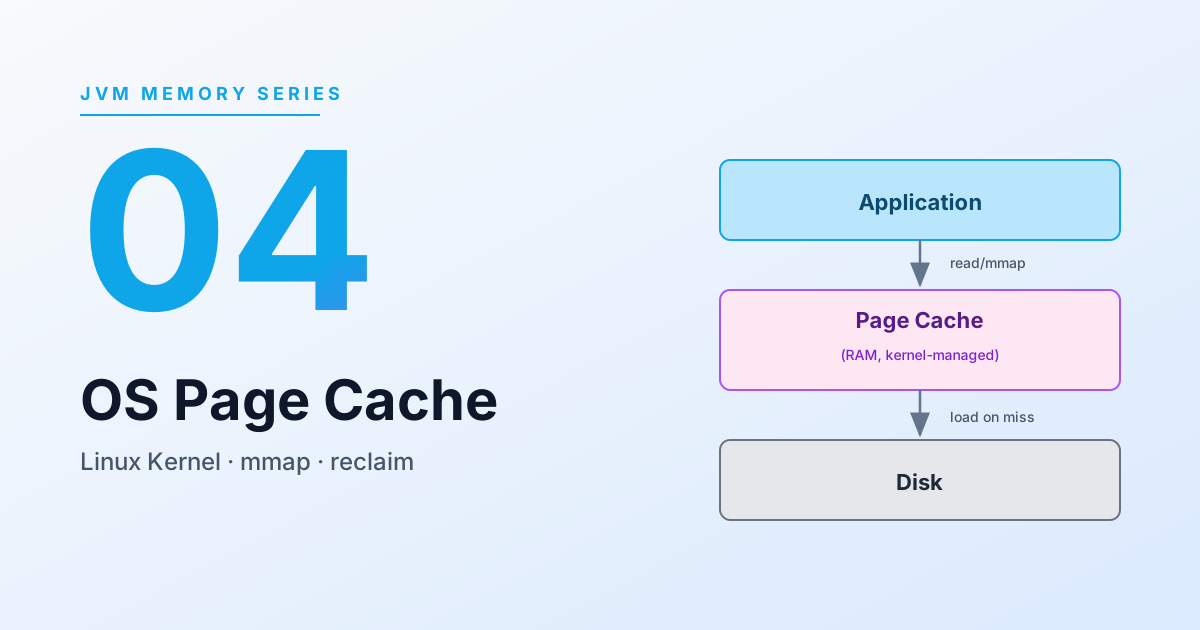
- 디스크에서 한 번 읽힌 파일 데이터는 커널이 자동으로 RAM에 보관해요.
- 같은 파일의 같은 부분을 다시 읽으면 디스크에 가지 않고 RAM에서 꺼내요.
read(),write(),mmap()이 모두 Page Cache를 경유해요 (O_DIRECT 예외).
3. 물리 메모리는 어떻게 사용되는가
Linux 커널은 물리 페이지를 크게 두 종류로 분류해요.
3-1. File-backed pages
파일과 연결된 페이지 = Page Cache의 내용물.
3-2. Anonymous pages
“The read accesses will result in creation of a page table entry that references a special physical page filled with zeroes. When the program performs a write, a regular physical page will be allocated to hold the written data.” — Linux Kernel — Concepts overview
프로세스의 힙, 스택, malloc 영역 등 파일에 매핑되지 않은 메모리예요. JVM의 Java Heap은 anonymous pages 로 올라와요.
3-3. Reclaim (재확보)
“Pages that can be freed at any time, either because they cache the data available elsewhere like on a hard disk, or because they can be swapped out to the hard disk, are called reclaimable, and the most notable categories of the reclaimable pages are page cache and anonymous memory.” — 같은 출처
핵심 포인트:
- Page Cache는 언제든 회수 가능해요. 디스크에 원본이 있기 때문에 그냥 버리면 돼요 (dirty page는 flush 후 버림).
- 메모리 부족 시 커널은
kswapd를 통해 비동기로 회수하고, 그래도 모자라면 요청 스레드를 멈추고 동기(direct reclaim) 으로 회수해요.
4. mmap: JVM에서 Page Cache를 쓰는 통로
Elasticsearch/Lucene이 인덱스 파일을 Page Cache에 올리는 주요 수단이 mmap 이에요.
mmap은 파일을 가상 메모리 주소 공간에 매핑해요. 핵심 성질:
- 파일 내용이 그대로 주소 공간에 “보이게” 되므로
read()시스템 콜 없이 포인터로 접근 가능해요. - 실제 물리 메모리에 올라오는 시점은 페이지 폴트 시 (lazy loading).
- 올라온 페이지는 Page Cache 그 자체. 즉 같은 파일을 여러 프로세스가 mmap 해도 물리 RAM은 공유돼요.
4-1. madvise / readahead
“
readahead()initiates readahead on a file so that subsequent reads from that file will be satisfied from the cache, and not block on disk I/O …” — man7 — readahead(2)
readahead, posix_fadvise, madvise(MADV_WILLNEED) 같은 힌트로 커널에게 “이 파일을 곧 읽을 거니 미리 캐시에 올려둬” 라고 알려줄 수 있어요. 이게 Elasticsearch의 index.store.preload 옵션 동작의 내부 원리예요.
4-2. Sequential vs Random
커널은 접근 패턴을 관찰해서 순차 접근(sequential) 이면 readahead를 공격적으로 해 줘요. Lucene의 posting list scan 같은 순차 I/O가 Page Cache와 궁합이 좋은 이유예요.
5. Page Cache 상태를 관찰하는 법
Linux에서 보통 다음 명령으로 확인해요.
# free 명령의 "buff/cache" 컬럼이 Page Cache + 커널 버퍼free -h
cat /proc/meminfo# MemTotal, MemFree, Cached, Buffers 등이 보여요Cached 값이 Page Cache 점유량의 가장 직관적인 지표예요.
주의: “Cached 값이 크면 메모리 부족” 이라는 오해는 틀렸어요. Page Cache는 필요 시 즉시 회수되므로, 큰 게 좋은 상태예요. — ES 문서가 말하는 “filesystem cache가 크면 좋다”가 이 뜻이에요.
6. OS OOM Killer와의 관계
메모리가 진짜 부족해서 reclaim으로도 해결 안 되면 커널은 OOM Killer 를 발동해요. JVM 프로세스는 보통 -Xmx만큼 가상주소를 예약하고, 쓰이는 만큼 실제 RAM을 소비(RSS) 해요.
문제는:
- JVM이 Heap + Direct Memory + Stack 으로 RSS가 커지고,
- Page Cache를 reclaim해도 메모리가 모자라면,
- 커널은 OOM Killer 로 특정 프로세스를 선택해 죽여요.
OOM Killer의 선택 기준은 /proc/<pid>/oom_score 값이고, 단순히 “가장 큰 프로세스”가 아니라 RSS + 점유율 + oom_score_adj 가중치 등을 종합해서 점수가 가장 높은 대상을 골라요. 하지만 실무에서는 대개 가장 메모리를 많이 쓰는 JVM 이 후보 1순위가 돼요.
ES가 “Xmx 50% 이하” 를 강하게 권하는 이유 중 하나가 이 OOM Killer 회피예요.
7. Elasticsearch 관점에서의 의미
- Lucene 인덱스는 hybridfs 전략에 따라 일부 파일(term dictionary, norms, doc values)이 mmap으로 올라가고, 나머지는 NIO로 읽어요 (상세는 Elasticsearch 노드의 메모리 배분 전략 참고). 어느 쪽이든 OS가 Page Cache에 자동으로 캐싱해요. mmap은 “접근을 포인터 연산으로 만든다”는 성질이고, Page Cache에 올라가는 것 자체는 NIO read도 동일해요.
- Page Cache 히트율이 높을수록 ES 쿼리 latency가 낮아져요. cold cache에서 첫 검색이 느린 현상이 여기서 나와요.
- ES가
index.store.preload같은 기능을 제공하는 이유가 기동 직후 Page Cache를 미리 채워놓기 위함이에요. - Heap을 RAM의 50%로 제한하는 이유는 나머지 50%가 Page Cache를 위한 예산이기 때문이에요. Heap을 과도하게 잡으면 Page Cache가 좁아지고, 그만큼 Lucene이 디스크 I/O로 떨어져요 → latency 폭증.
8. 자주 혼동되는 포인트
- “free 명령의 used가 크면 위험” → 틀렸어요.
available열을 봐야 해요. 최근(procps-ng기반)free는used,buff/cache,available을 분리해서 보여주며,available은 “필요하면 reclaim 가능한 양을 이미 고려한 실제 여유 메모리” 를 뜻해요. used가 커도 available이 충분하면 정상이에요. - “Page Cache는 JVM 메모리” → 아니에요. OS 커널이 관리해요. JVM은 그냥 페이지 폴트로 간접 접근할 뿐이에요.
- “mmap 하면 무조건 RAM에 올라간다” → 아니에요. 접근하는 페이지만 lazy로 올라와요.
참고 문헌 (1차 소스)
- Linux Kernel — Memory Management Concepts Overview
- Linux Kernel — Page Cache
- man7 — readahead(2)
- kernel.org — Linux readahead: less tricks for more (OLS 2007 paper)
- Elastic — Advanced configuration (filesystem cache 언급)
- Elastic — Preloading data into the file system cache
앞선 글: JVM Off-heap과 Direct Memory
이어지는 글: Elasticsearch 노드의 메모리 배분 전략

Primary sources for this document are the docs.kernel.org Linux Kernel official docs and man7.org Linux manual pages. Where Parts 1-3 looked at memory from inside the JVM process, this part looks at it one level lower — from the OS kernel’s perspective.
1. Why You Need This Theory
The real reason Elasticsearch tells you to “keep heap under 50%” is “so the rest can be used by the OS Page Cache.” From Elastic’s official docs:
“Elasticsearch … relies on the operating system’s filesystem cache for efficient access to files.” — Elastic — Advanced configuration
“The heap size should be based on the available RAM … The smaller that you can set the heap … the more physical memory that will be available for the filesystem cache.” — same source
So one of the cores of ES performance is the filesystem cache = Page Cache. Let us pin down what it is at the OS level.
2. What the Page Cache Is
Official Linux kernel definition:
“The page cache is the primary way that the user and the rest of the kernel interact with filesystems. Whenever a file is read, the data is put into the page cache to avoid expensive disk access on the subsequent reads.” — Linux Kernel — Memory Management Concepts Overview
“The page cache is the primary way that the user and the rest of the kernel interact with filesystems … normal reads, writes and mmaps go through the page cache.” — Linux Kernel — Page Cache
Summary:
- File data read once from disk is automatically retained in RAM by the kernel.
- Reading the same part of the same file again does not hit disk; it comes from RAM.
read(),write(), andmmap()all go through the Page Cache (with O_DIRECT being the exception).
3. How Physical Memory Is Used
The Linux kernel broadly classifies physical pages into two kinds.
3-1. File-backed pages
Pages backed by a file = the contents of the Page Cache.
3-2. Anonymous pages
“The read accesses will result in creation of a page table entry that references a special physical page filled with zeroes. When the program performs a write, a regular physical page will be allocated to hold the written data.” — Linux Kernel — Concepts overview
Memory not mapped to a file — process heap, stack, malloc area, etc. The JVM’s Java Heap is brought up as anonymous pages.
3-3. Reclaim
“Pages that can be freed at any time, either because they cache the data available elsewhere like on a hard disk, or because they can be swapped out to the hard disk, are called reclaimable, and the most notable categories of the reclaimable pages are page cache and anonymous memory.” — same source
Key point:
- The Page Cache can be reclaimed at any time. The original is on disk, so it can just be dropped (dirty pages are flushed first).
- Under memory pressure, the kernel reclaims asynchronously via
kswapd, and if that is not enough, halts the requesting thread and reclaims synchronously (direct reclaim).
4. mmap: The Path the JVM Uses to the Page Cache
The main way Elasticsearch/Lucene gets index files into the Page Cache is mmap.
mmap maps a file into the virtual memory address space. Key properties:
- The file’s contents become “visible” in the address space, so you can access them via pointers without
read()system calls. - The actual moment data lands in physical memory is on page fault (lazy loading).
- The pages that come up are the Page Cache itself. So if multiple processes mmap the same file, the physical RAM is shared.
4-1. madvise / readahead
“
readahead()initiates readahead on a file so that subsequent reads from that file will be satisfied from the cache, and not block on disk I/O …” — man7 — readahead(2)
Hints like readahead, posix_fadvise, and madvise(MADV_WILLNEED) let you tell the kernel “I am about to read this file, please pre-cache it.” That is the inner mechanism behind Elasticsearch’s index.store.preload option.
4-2. Sequential vs Random
The kernel watches access patterns and applies aggressive readahead when access is sequential. That is why sequential I/O like Lucene’s posting list scan plays so well with the Page Cache.
5. How to Observe Page Cache State
On Linux, typically:
# free's "buff/cache" column = Page Cache + kernel buffersfree -h
cat /proc/meminfo# shows MemTotal, MemFree, Cached, Buffers, etc.Cached is the most intuitive indicator of Page Cache occupancy.
Note: the misconception “large Cached value means low memory” is wrong. The Page Cache is reclaimed instantly when needed, so a large value is a healthy state. That is exactly what the ES doc means by “a larger filesystem cache is better.”
6. Relation to the OS OOM Killer
When memory really runs out and even reclaim cannot solve it, the kernel triggers the OOM Killer. A JVM process typically reserves virtual address space up to -Xmx and consumes actual RAM (RSS) as it uses it.
The problem:
- JVM RSS grows with Heap + Direct Memory + Stack,
- if reclaiming Page Cache still is not enough,
- the kernel uses the OOM Killer to pick and kill some process.
The OOM Killer’s selection criterion is /proc/<pid>/oom_score, which is not just “the biggest process” — it combines RSS + occupancy ratio + oom_score_adj weighting and picks the highest scorer. In practice, though, the JVM using the most memory is usually candidate #1.
One of the strong reasons ES recommends “Xmx ≤ 50%” is to dodge this OOM Killer scenario.
7. What This Means From an Elasticsearch Angle
- Under the hybridfs strategy, some Lucene index files (term dictionary, norms, doc values) are mmap-ed and the rest are read via NIO (see Elasticsearch Node Memory Allocation Strategy for details). Either way, the OS automatically caches them in the Page Cache. mmap is about “making access a pointer dereference”; the fact that pages land in the Page Cache is true for NIO reads as well.
- The higher the Page Cache hit rate, the lower ES query latency. This is why the first search on a cold cache is slow.
- The reason ES provides features like
index.store.preloadis to pre-fill the Page Cache right after startup. - The reason for capping Heap at 50% of RAM is that the other 50% is the budget for the Page Cache. If you over-allocate Heap, the Page Cache shrinks, and Lucene falls back to disk I/O that much more → latency explodes.
8. Commonly Confused Points
- “Large
usedinfreeis dangerous” → wrong. Look at theavailablecolumn. Recentfree(procps-ng-based) separatesused,buff/cache, andavailable, whereavailableis “the actual free memory considering what can be reclaimed if needed.” A largeusedis fine ifavailableis sufficient. - “Page Cache is JVM memory” → no. It is managed by the OS kernel. The JVM only accesses it indirectly via page faults.
- “mmap means everything is loaded into RAM” → no. Only the pages you actually access come up lazily.
References (Primary Sources)
- Linux Kernel — Memory Management Concepts Overview
- Linux Kernel — Page Cache
- man7 — readahead(2)
- kernel.org — Linux readahead: less tricks for more (OLS 2007 paper)
- Elastic — Advanced configuration (mentions filesystem cache)
- Elastic — Preloading data into the file system cache
Previous: JVM Off-heap and Direct Memory
댓글
댓글 수정/삭제는 GitHub Discussions에서 가능합니다.