인디밸런싱 MVP 15가지 핵심 기능 소개
목차
MVP(Minimum Viable Product)로 공개한 인디밸런싱의 15가지 핵심 기능을 정리해 봤어요.
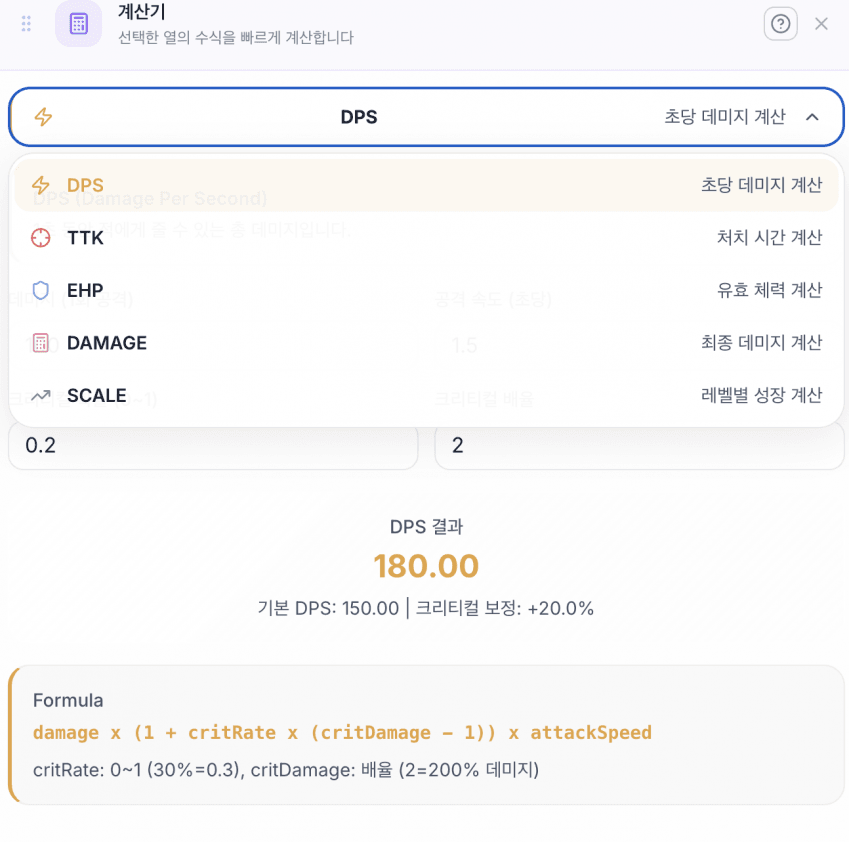
1. 계산기
게임 밸런싱에 필요한 단순 수치 계산을 수행하는 도구예요. DPS, EHP, TTK 등 게임 특화 수식을 바로 적용할 수 있어요.
2. 비교분석
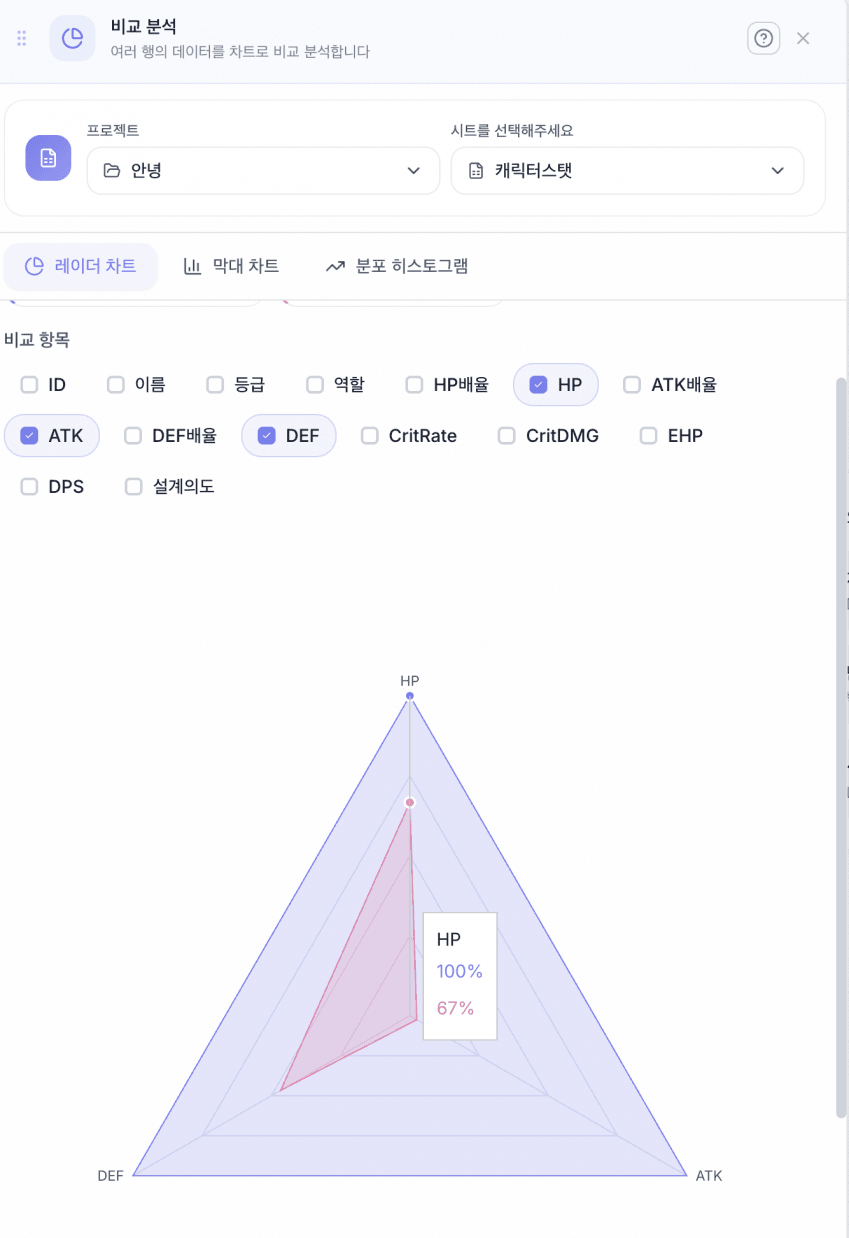
같은 시트에 있는 데이터를 레이더 차트와 막대 차트로 비교하는 기능이에요. 분포 히스토그램으로 특정 열의 데이터 분포를 확인할 수 있어요.
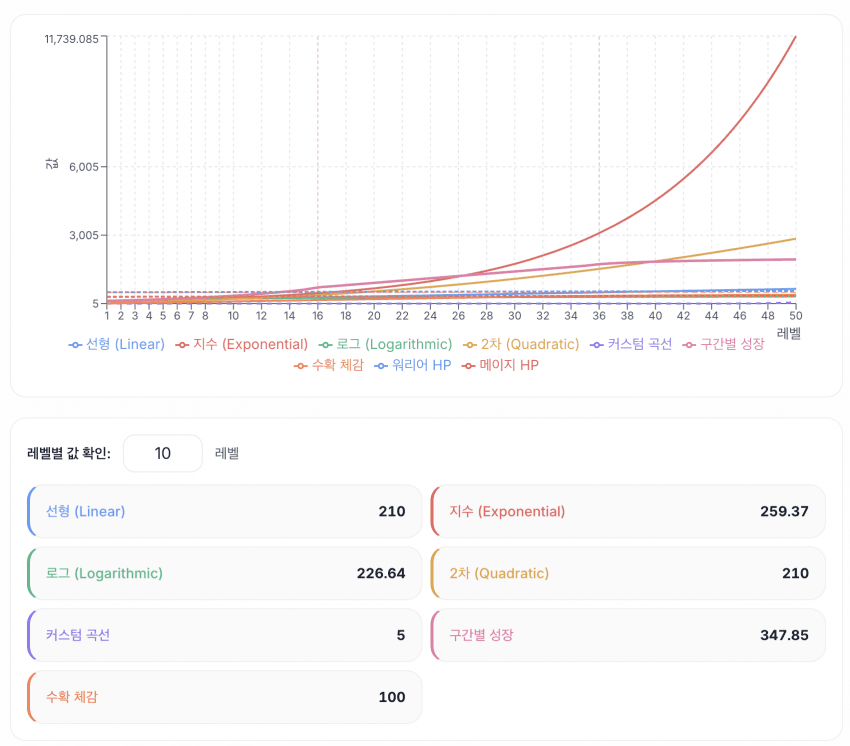
3. 성장곡선 차트
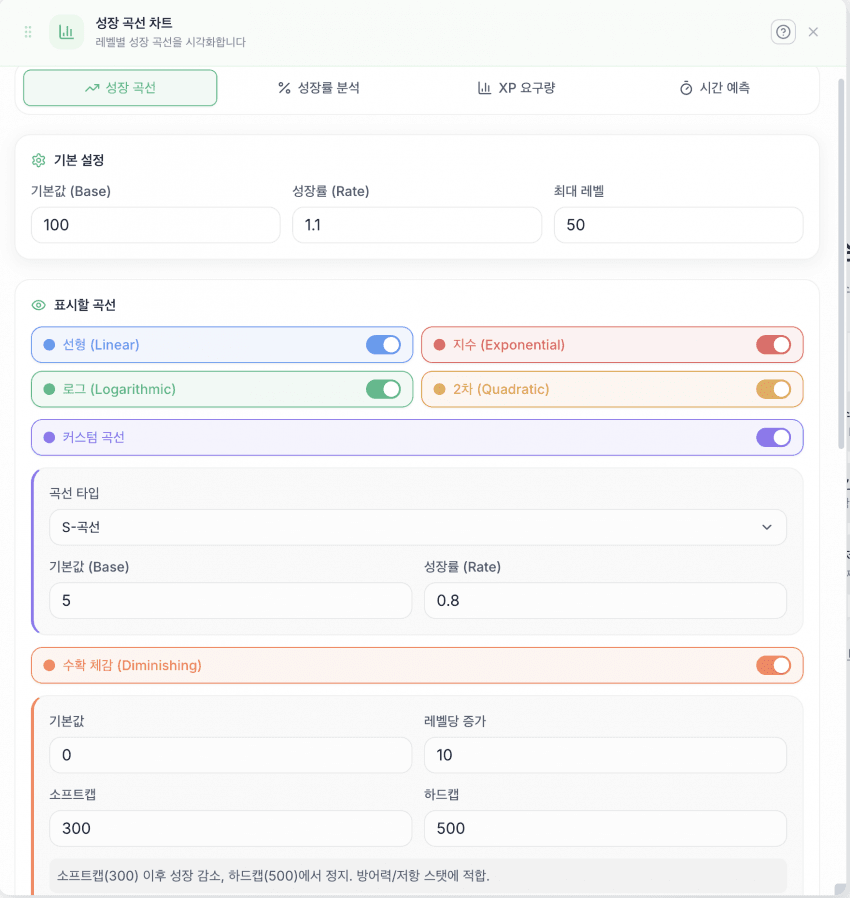
레벨업 시 스탯 증가량을 시각화하는 그래프예요. 수치를 직접 커스텀할 수 있어요.
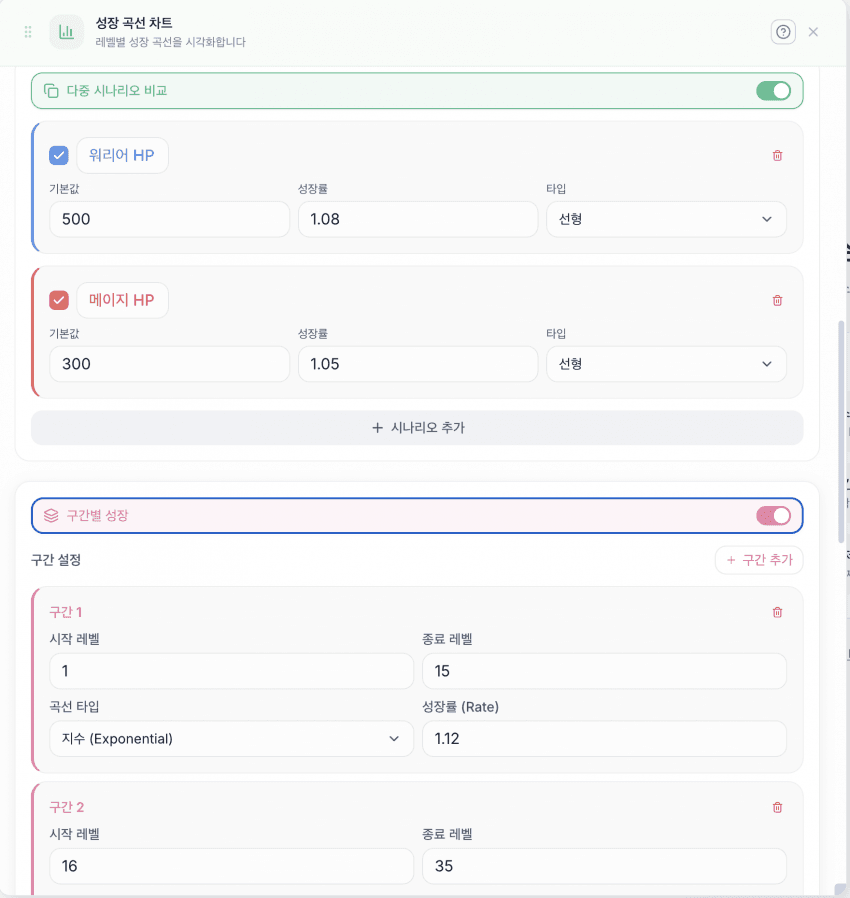
다중 시나리오와 구간별 그래프를 설정할 수 있어요.

곡선 전환 시점의 보간(interpolation)을 지원해요.
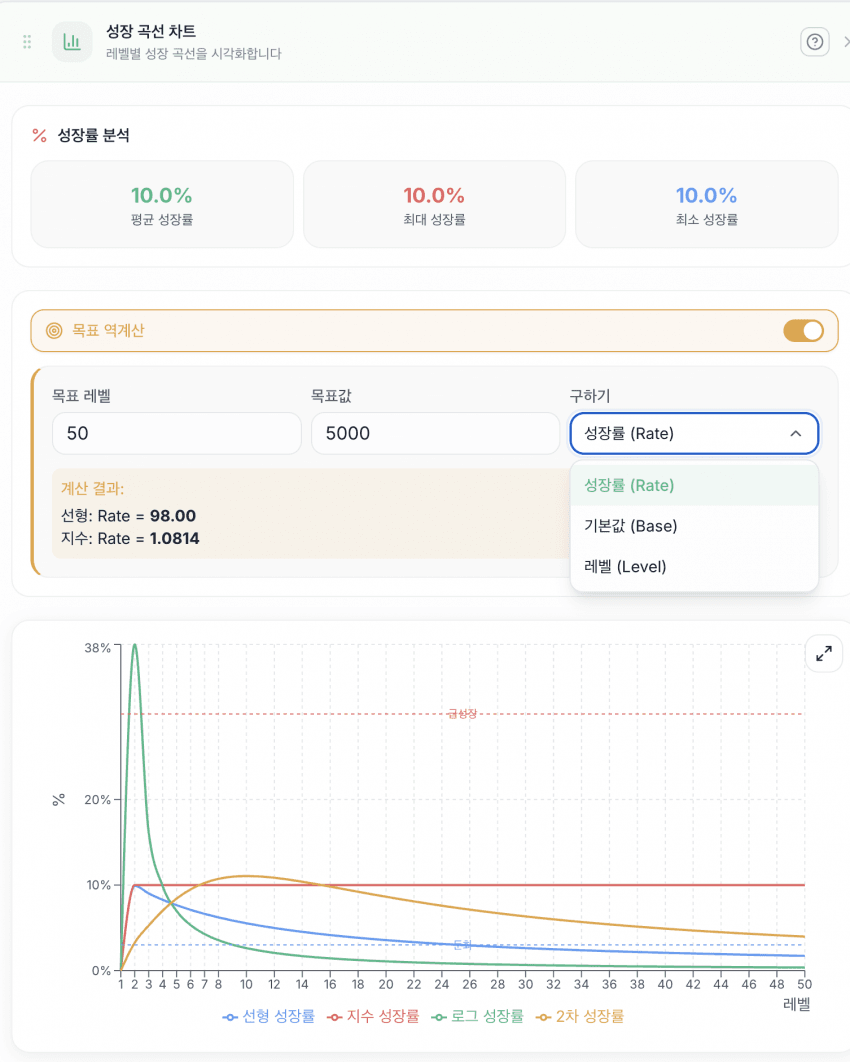
성장률 분석 기능이에요.
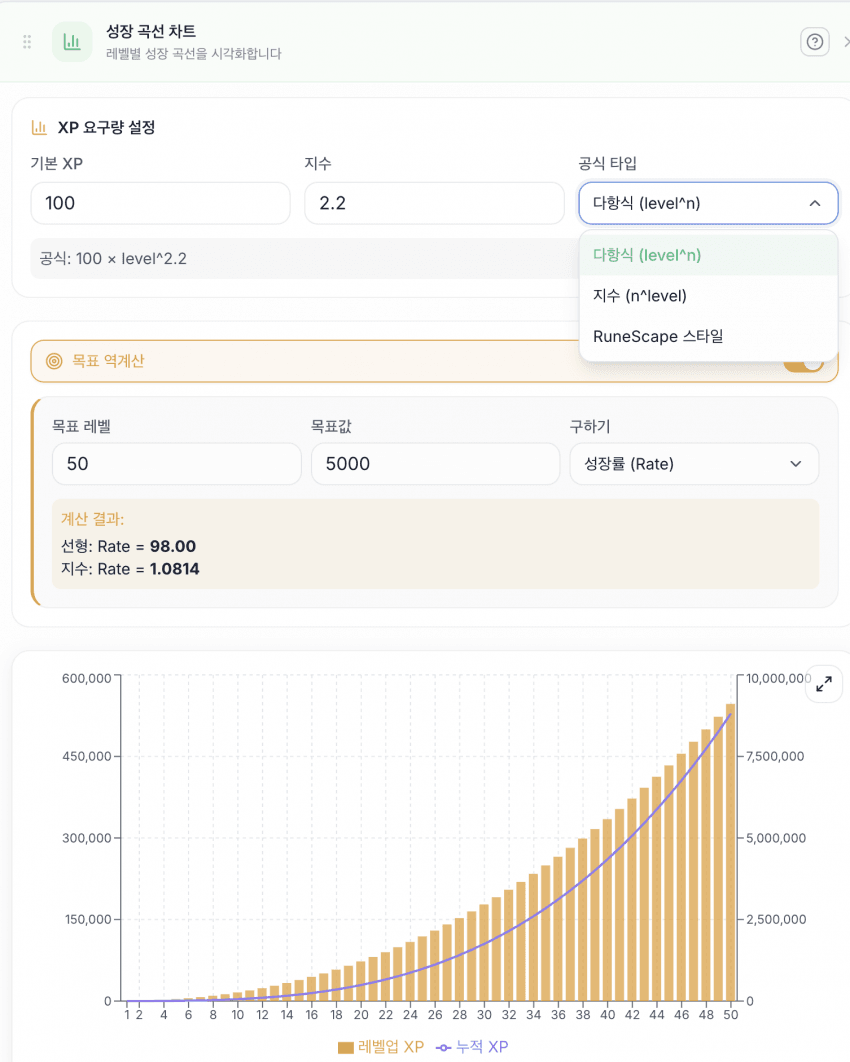
레벨별 XP 요구량을 확인할 수 있어요.
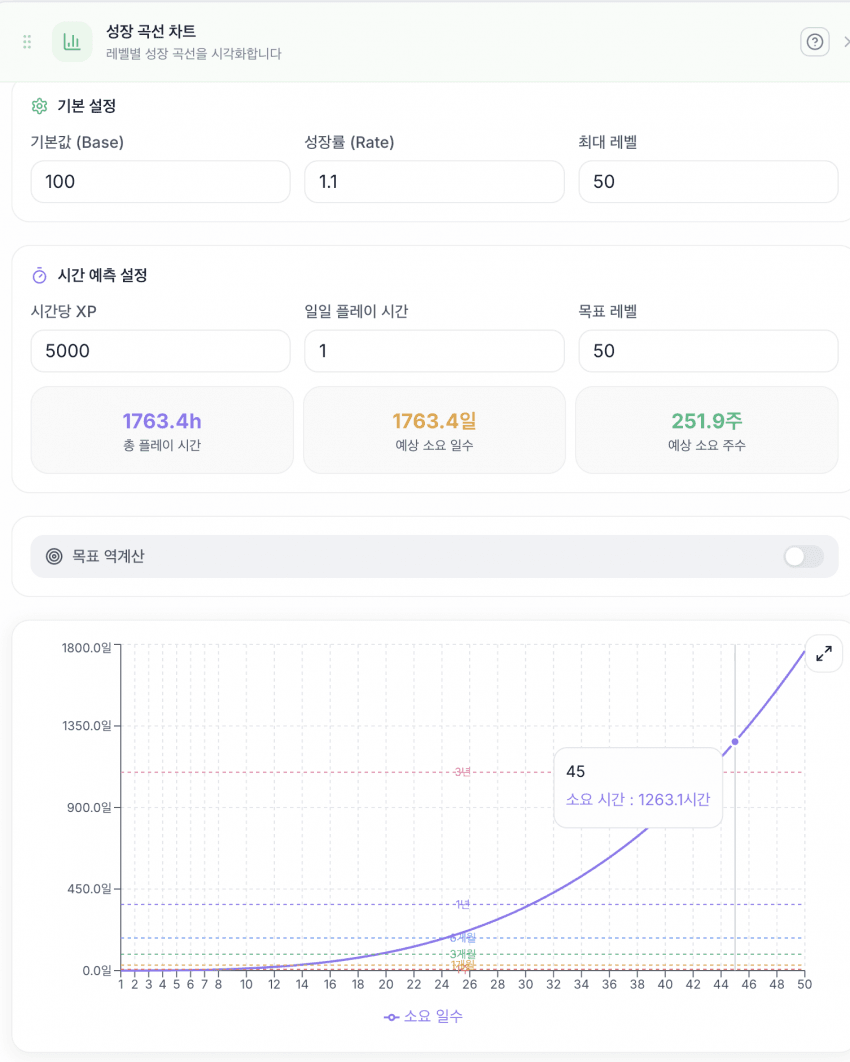
실제 플레이어가 만렙까지 며칠 걸릴지 예측하는 기능이에요.
4. 프리셋 비교
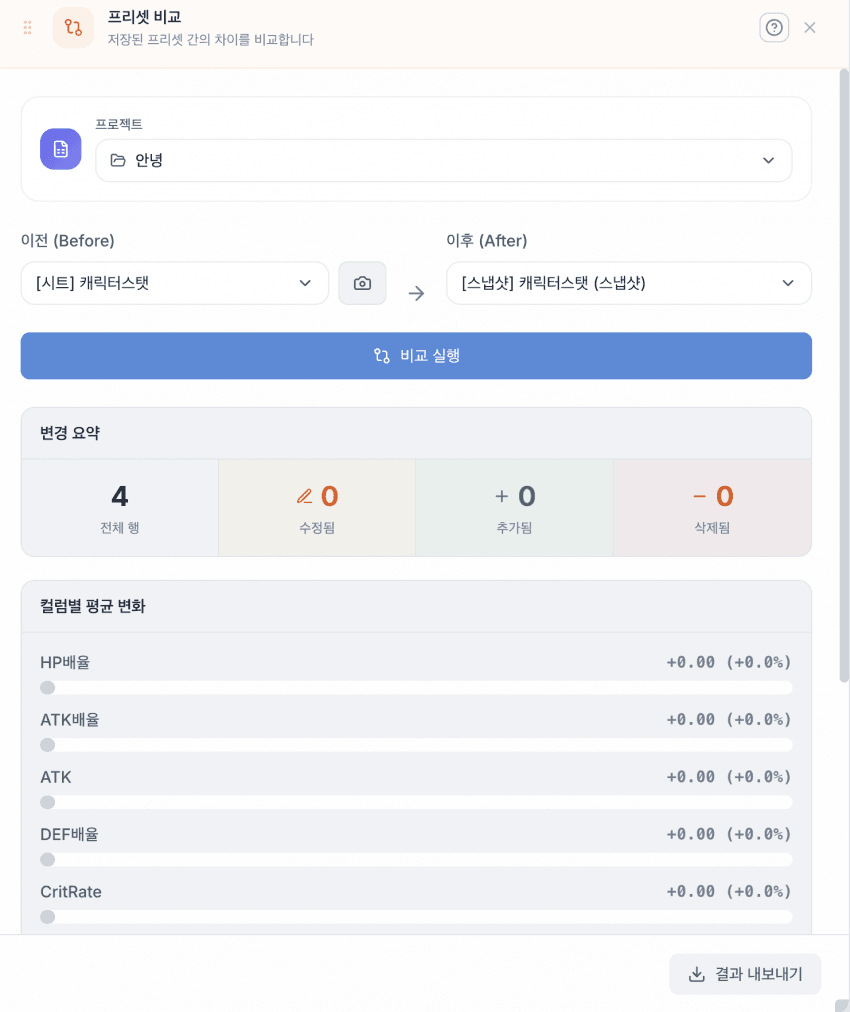
시트의 스냅샷을 찍어 임시 저장한 뒤, 값을 변경했을 때 이전 상태와 비교하는 기능이에요. 밸런스 패치 전후 수치 변화를 확인할 때 유용해요.
5. 불균형 감지
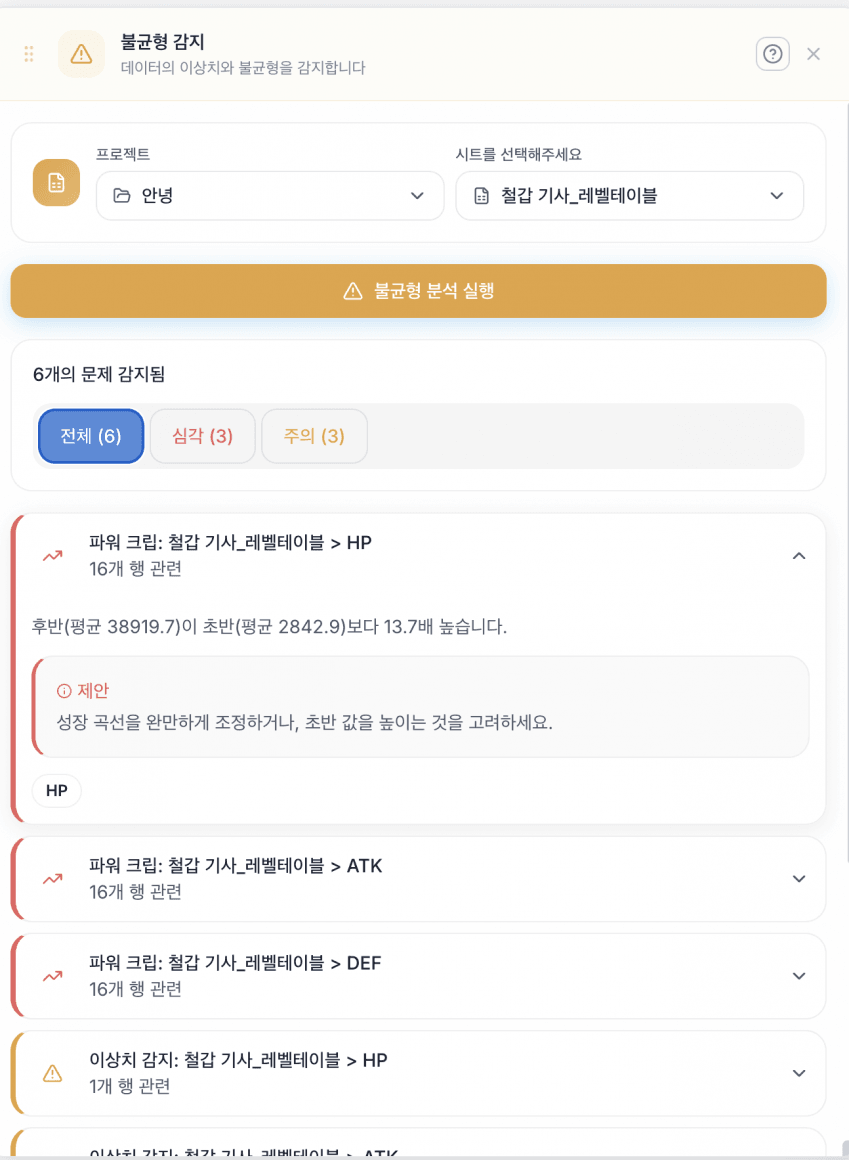
Z-score 기반으로 행의 값이 급격히 상승하거나 감소하면 경고하는 시스템이에요.
6. 목표 역산 (Goal Solver)
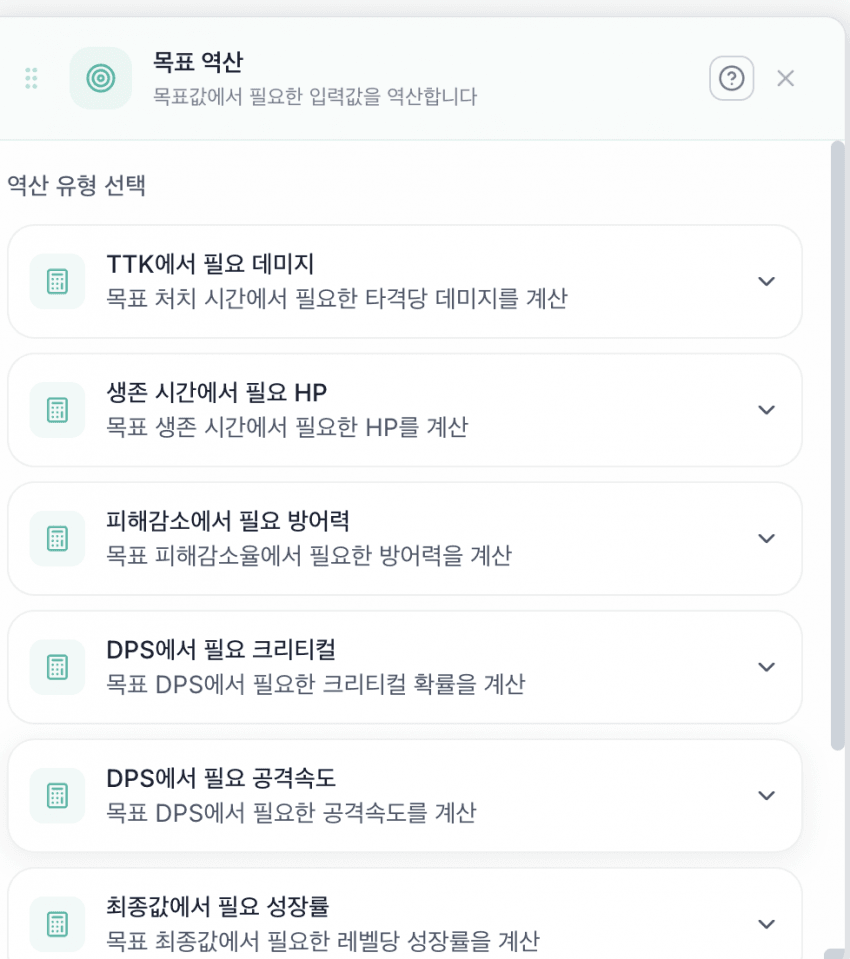
원하는 결과값(예: TTK 3초)을 입력하면 필요한 수치(예: DPS 500)를 역산하는 기능이에요.
7. 밸런스 분석
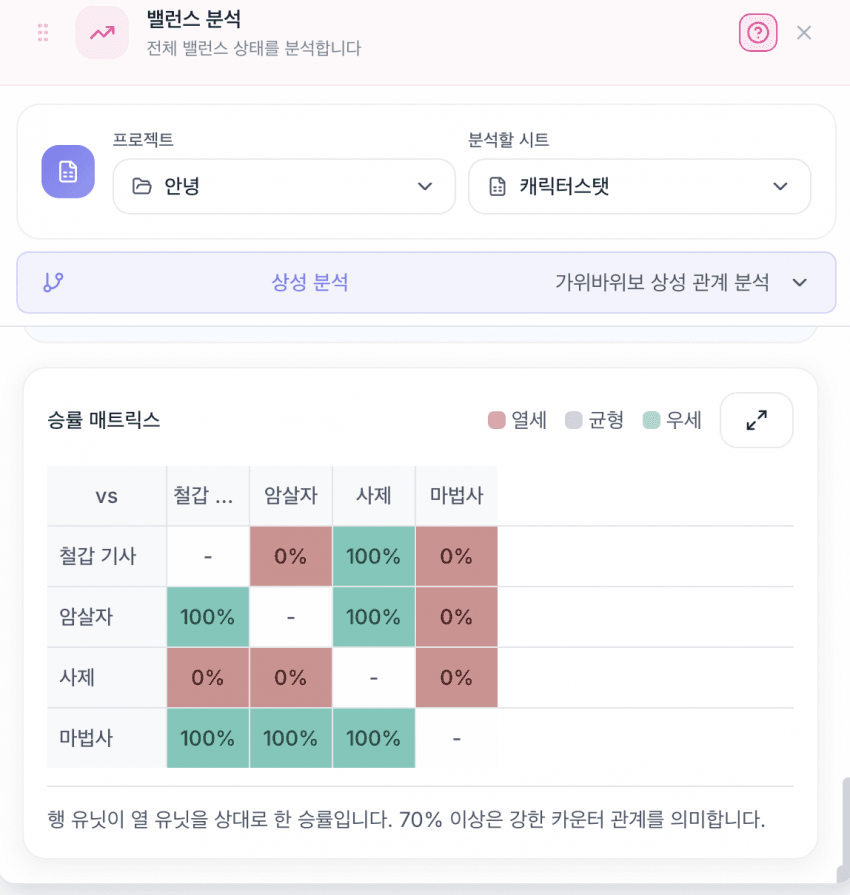
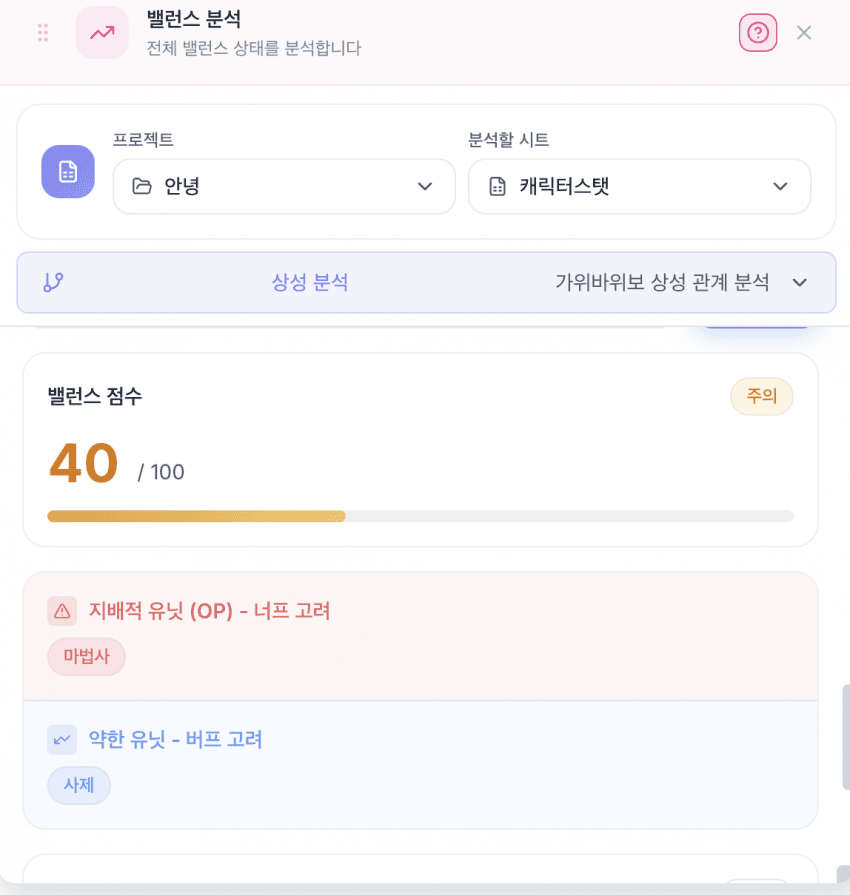
유닛 간 시뮬레이션(최대 100회)을 돌려 상성을 비교하는 승률 매트릭스 기능이에요.
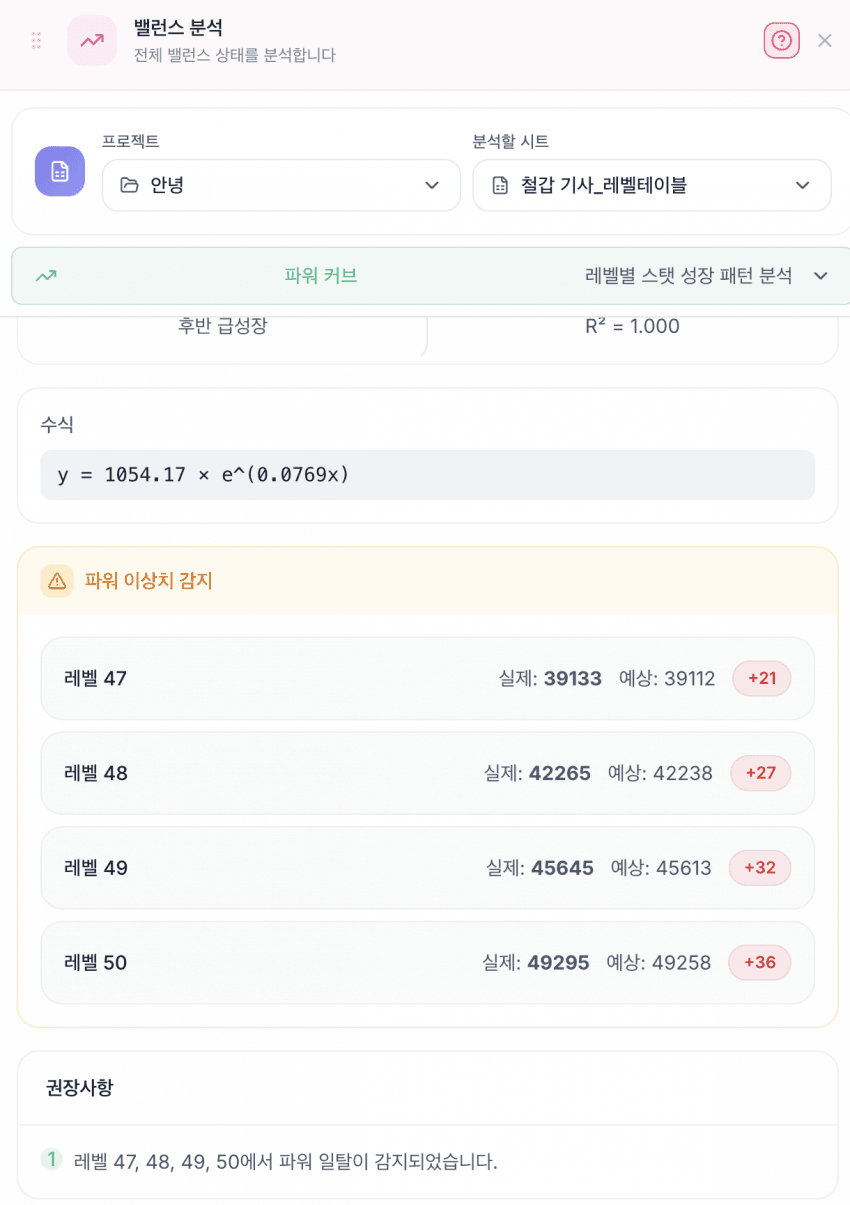
파워 커브 분석 기능이에요. 선형/지수/로그 곡선으로 유닛 파워를 시각화해요.
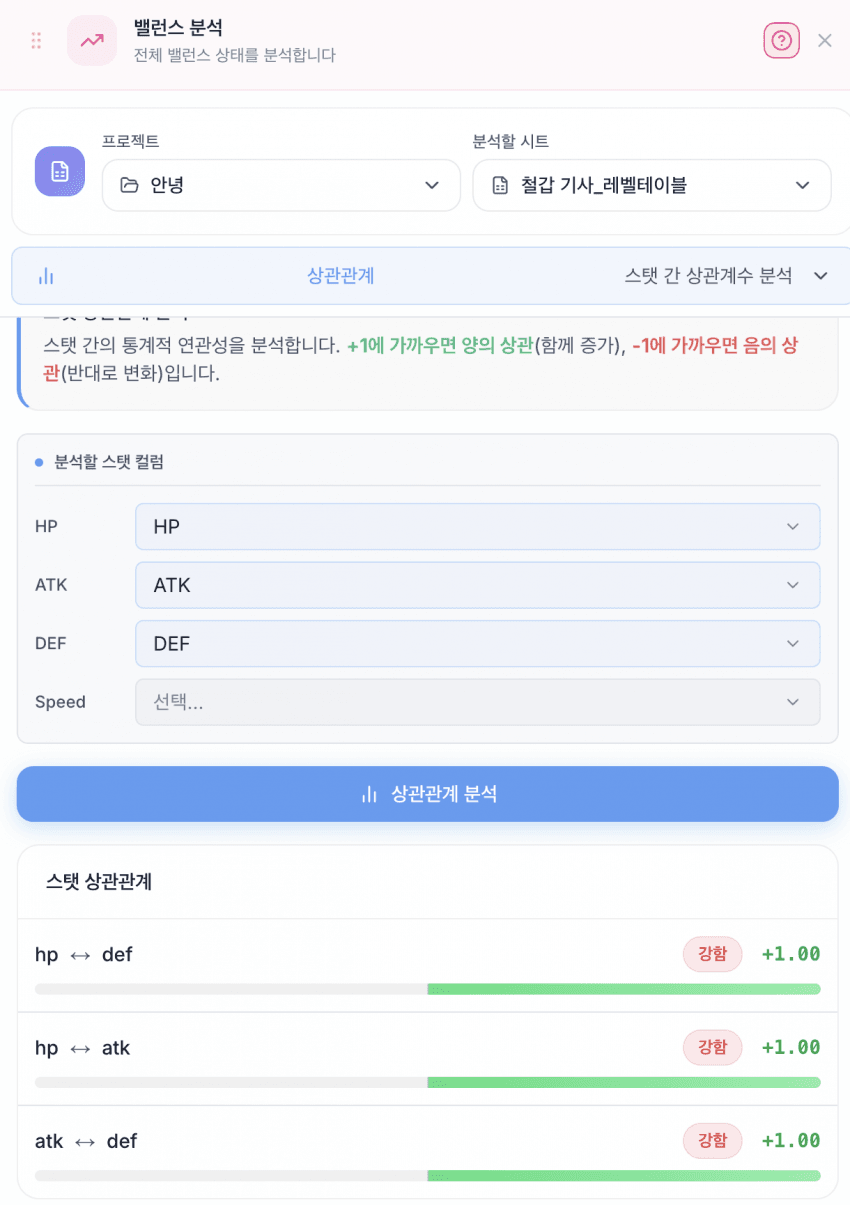
피어슨 상관관계 분석 기능이에요. 스탯 간 상관관계를 수치로 확인할 수 있어요.
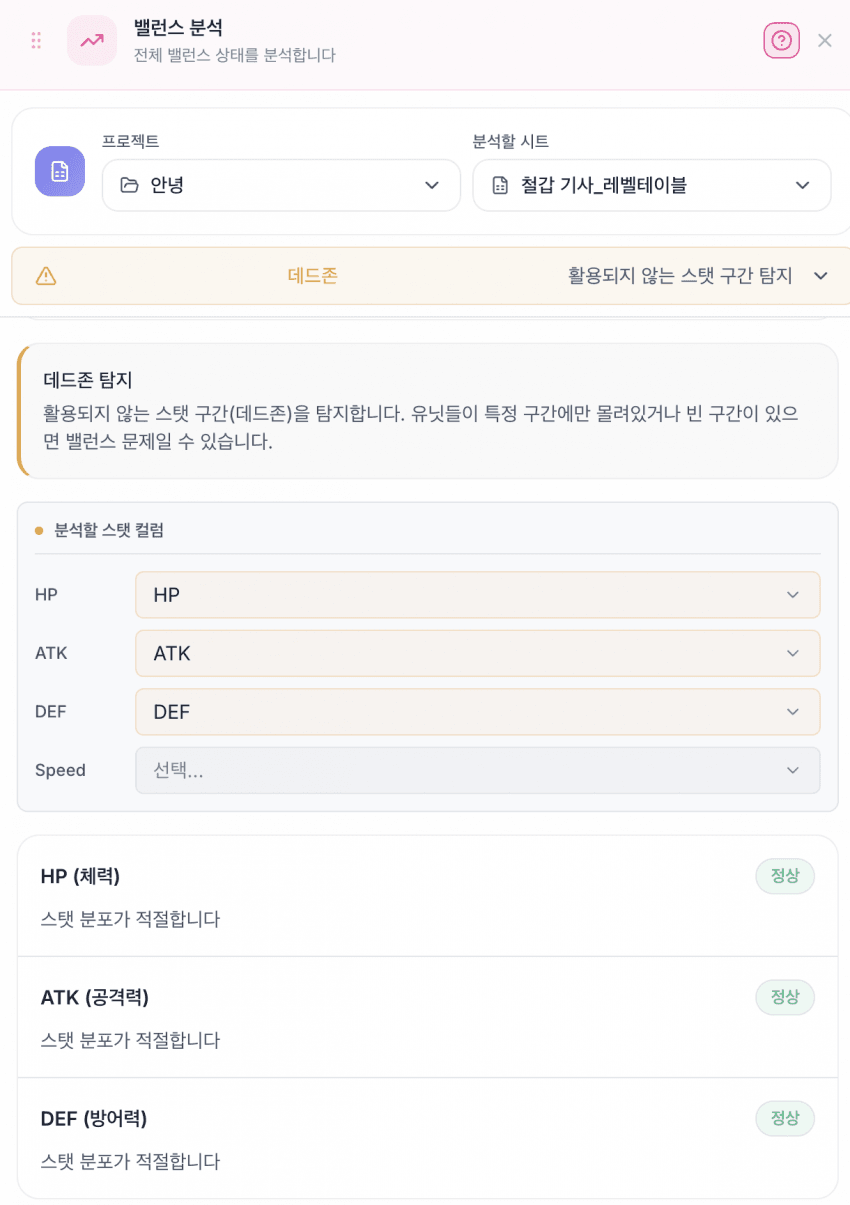
활용되지 않는 스탯 구간을 탐지하는 기능이에요.
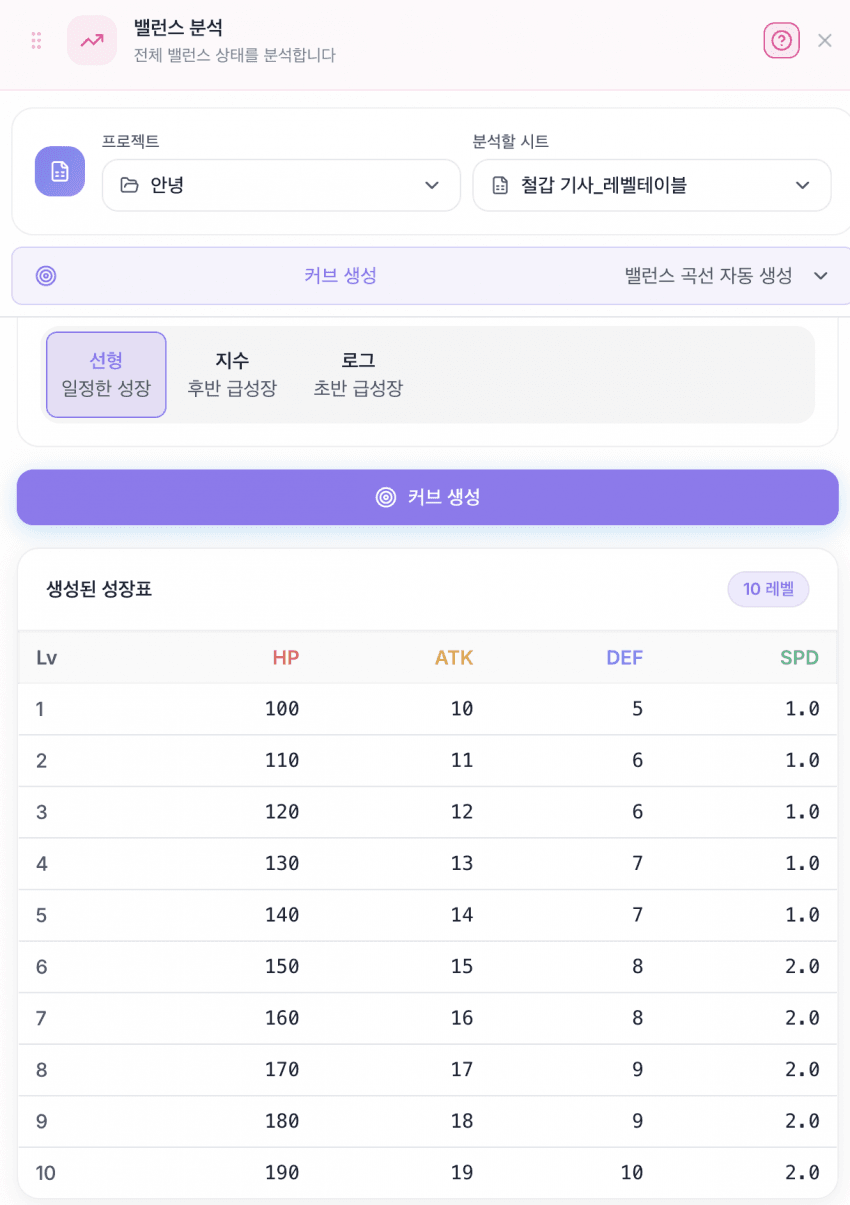
레벨별 스탯 성장표 자동 생성 기능이에요. 현재 HP, ATK, DEF, SPEED를 지원해요.
8. 경제 시뮬레이터
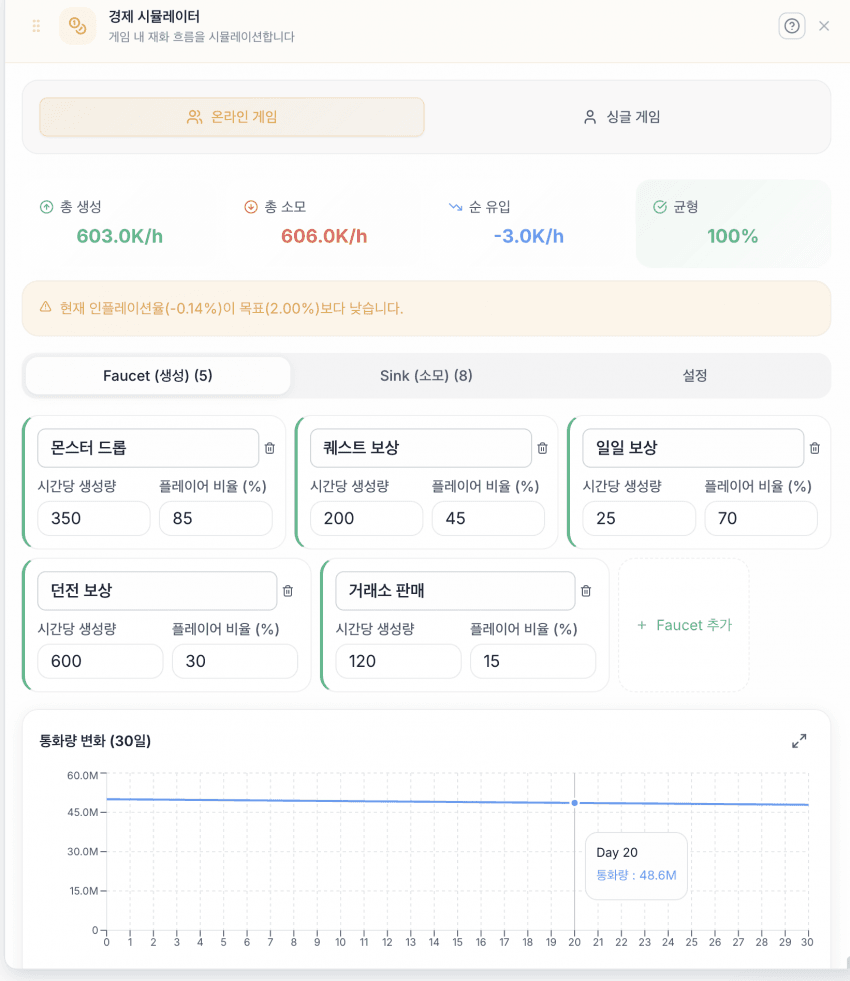
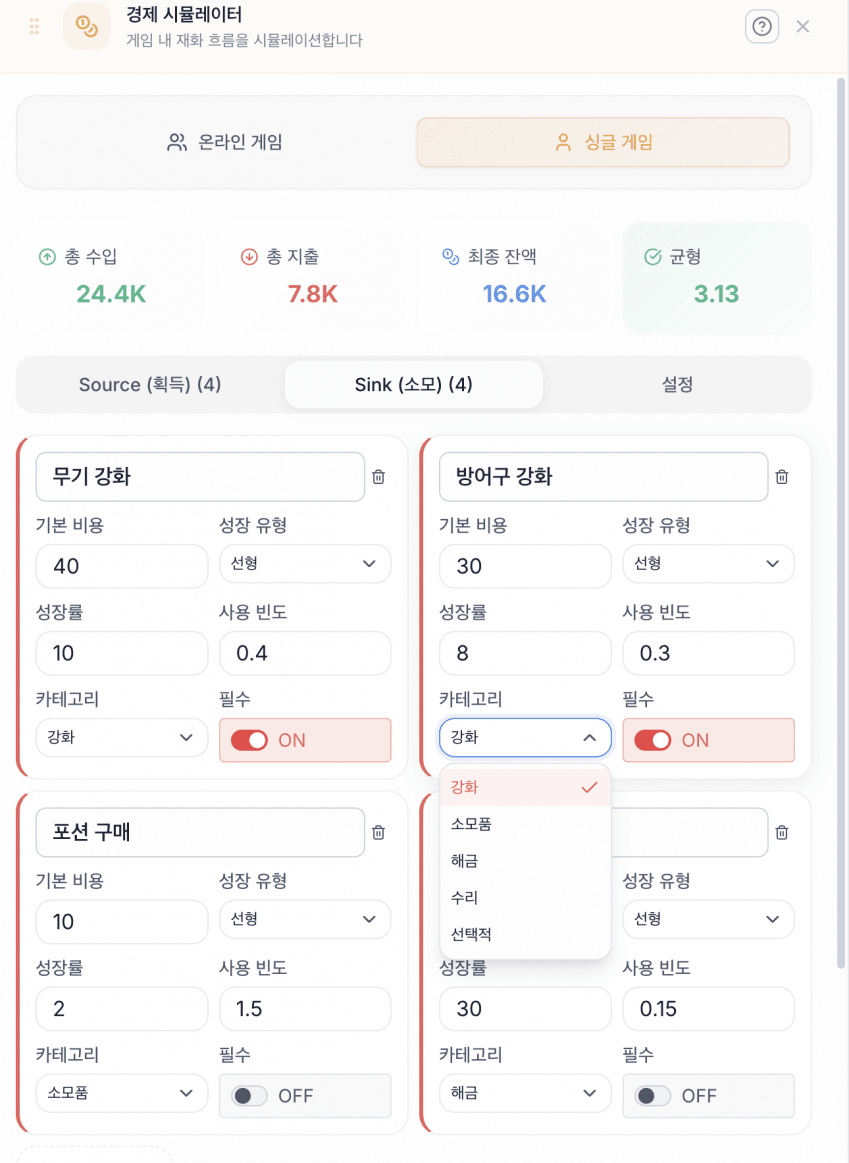
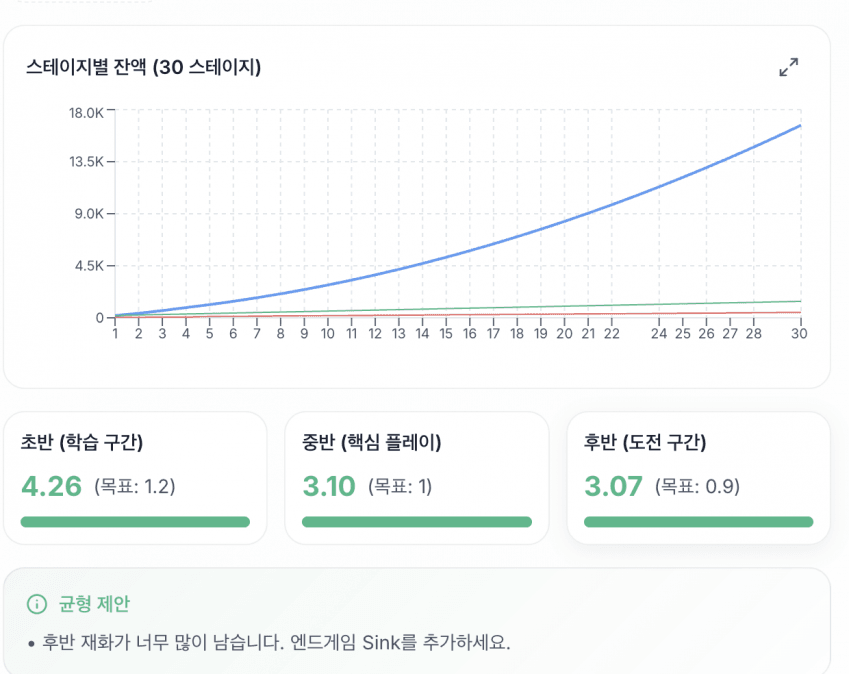
온라인 게임과 싱글 게임 모드를 지원해요. 게임 내 재화 흐름을 시뮬레이션하여 인플레이션과 디플레이션을 예측하는 기능이에요.
9. DPS 분산 분석
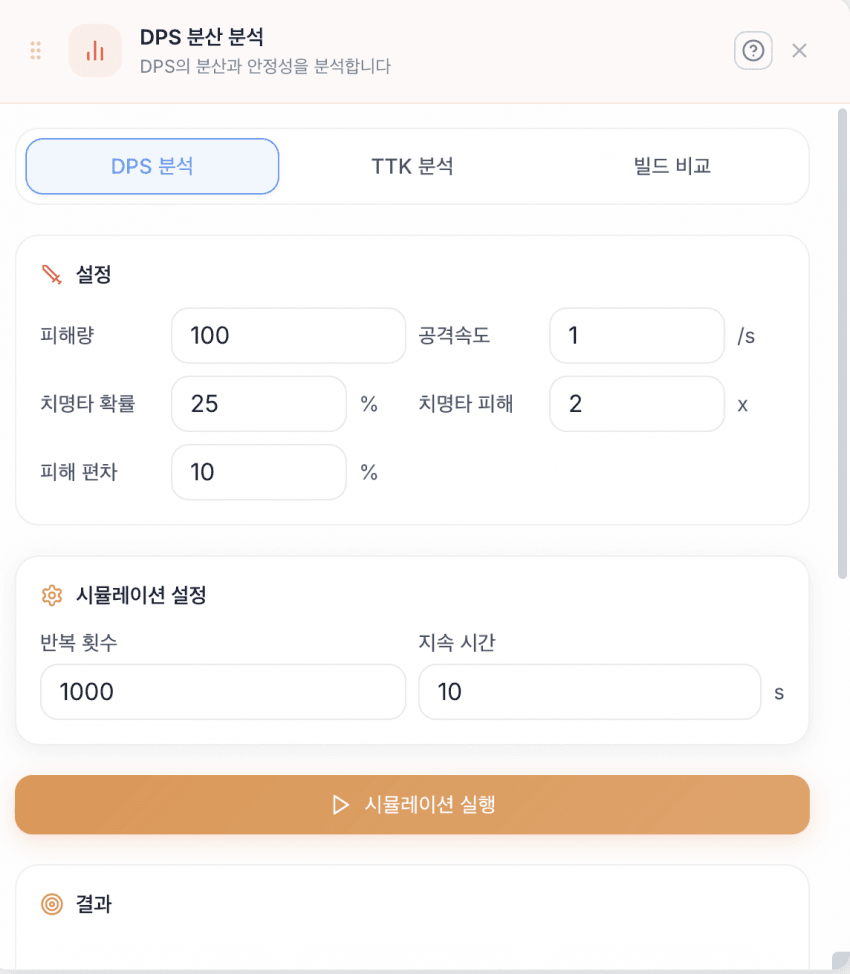
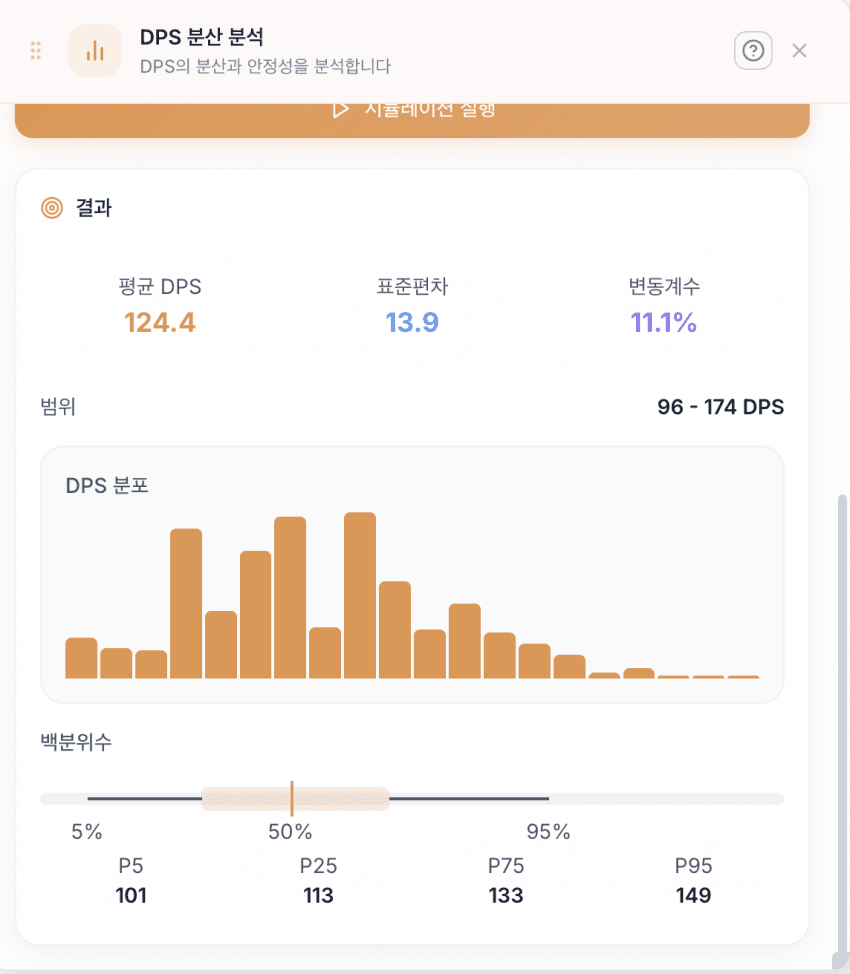
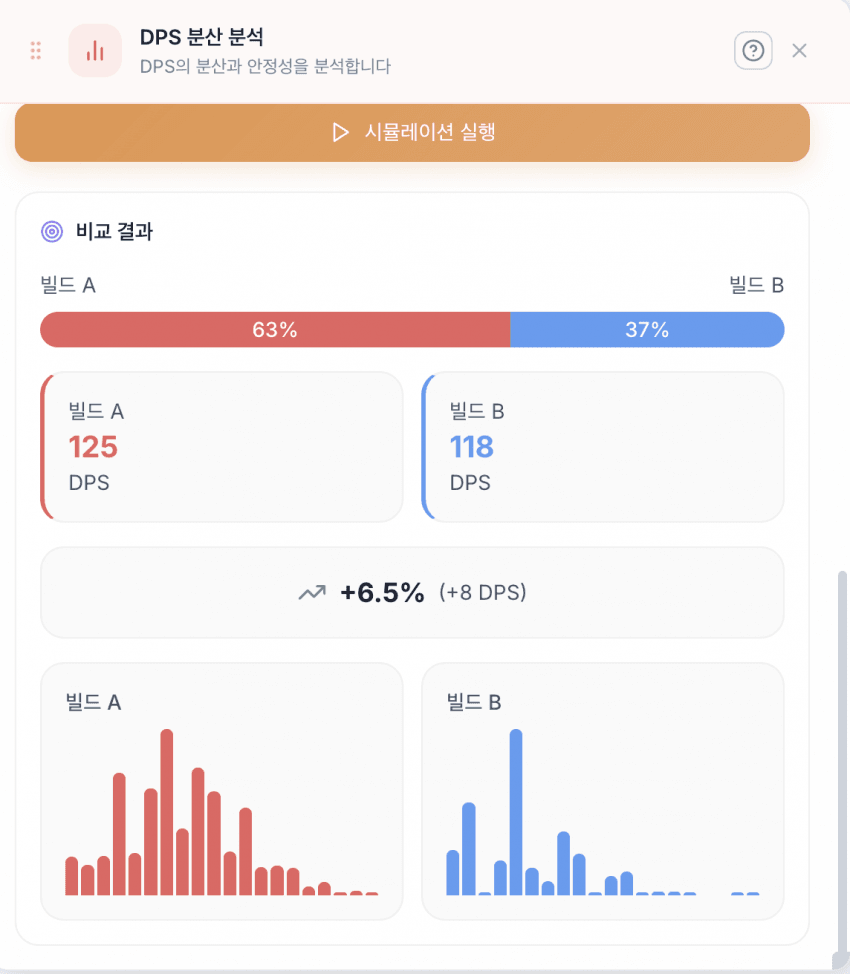
DPS 시뮬레이션을 돌려 분석 결과를 그래프로 확인하고, 빌드 간 비교가 가능해요.
10. 곡선피팅
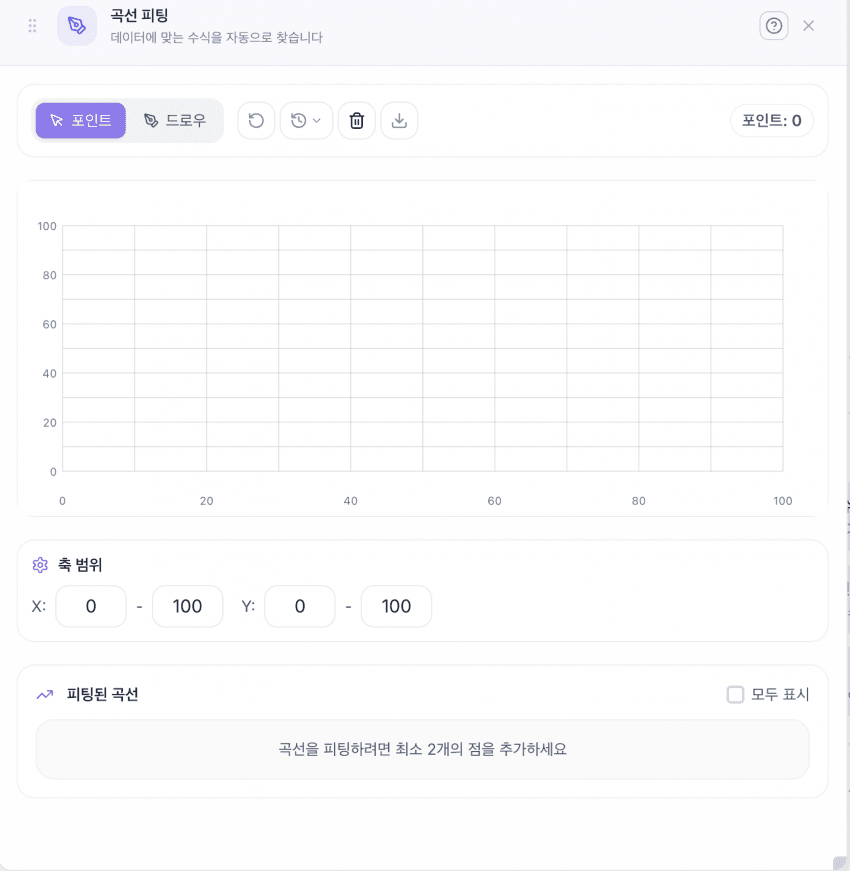
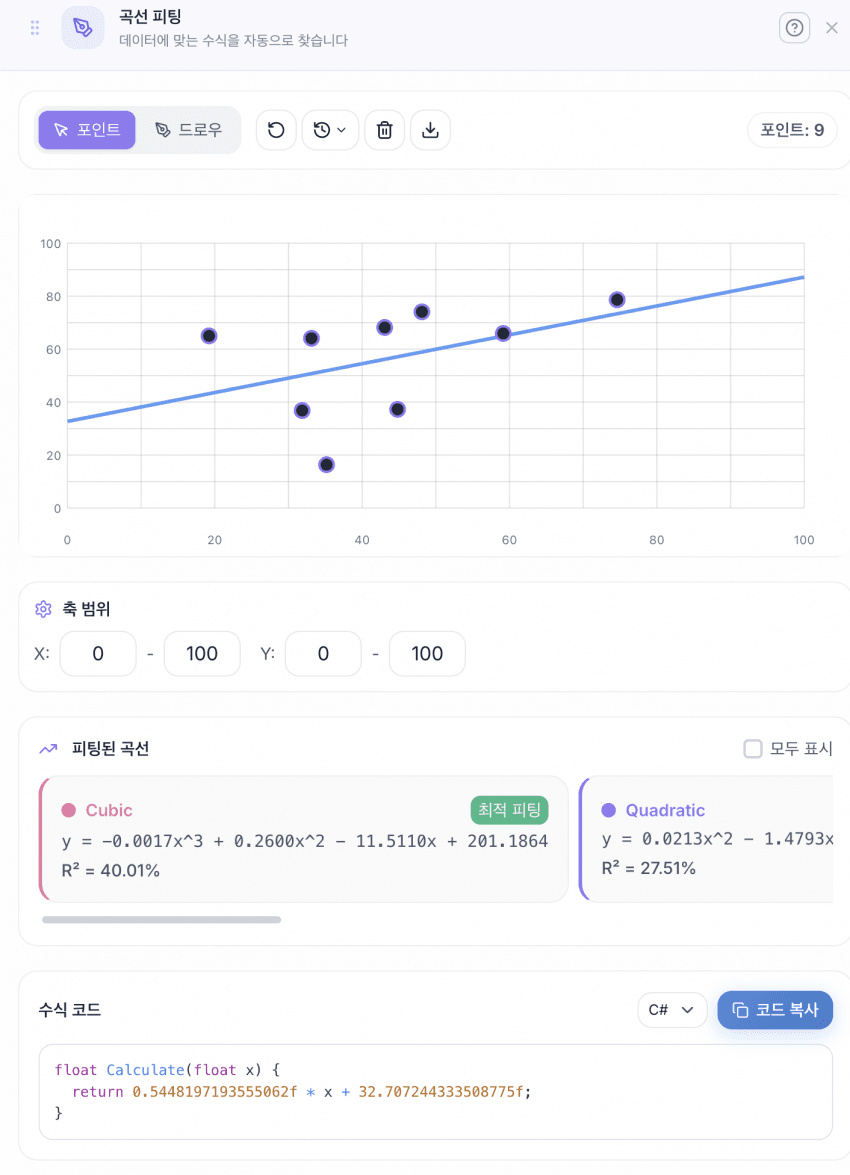
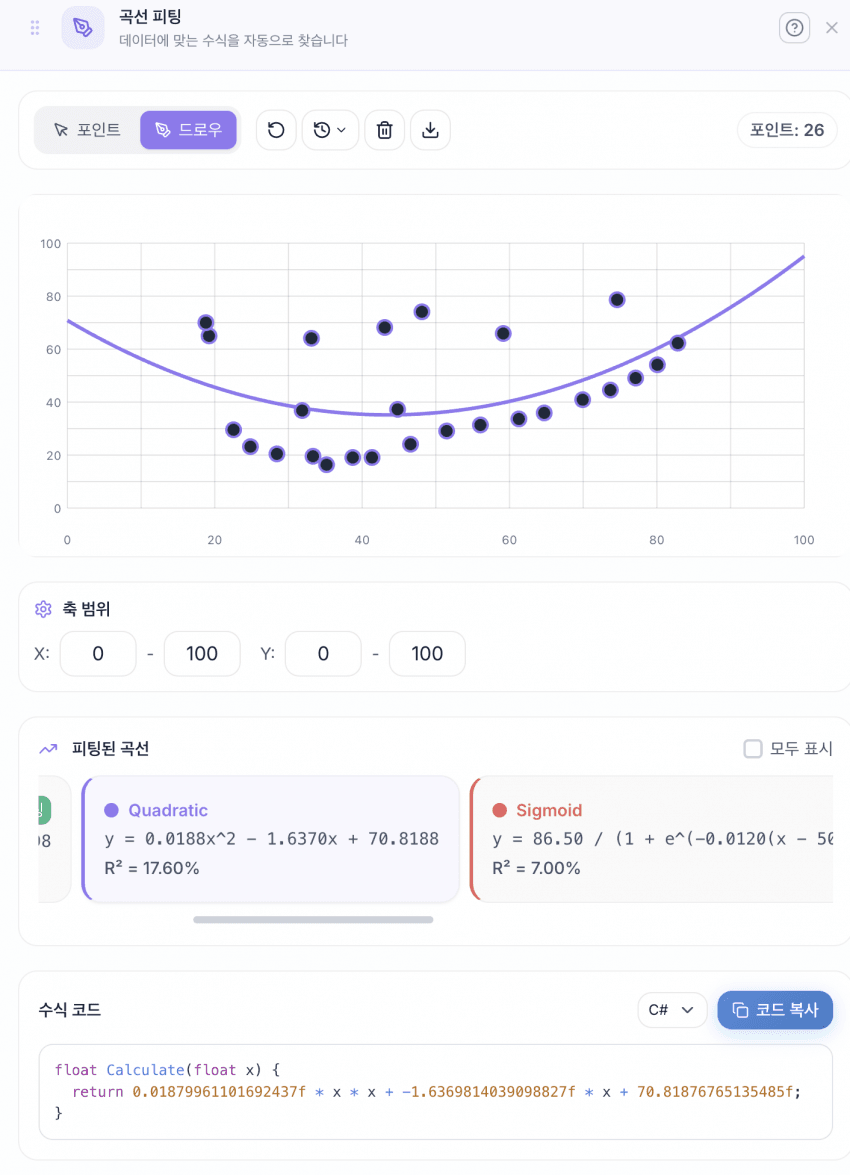
그래프를 직접 드로잉하면 해당 곡선에 맞는 수식 코드를 자동 생성하는 기능이에요.
11. 수식 도우미
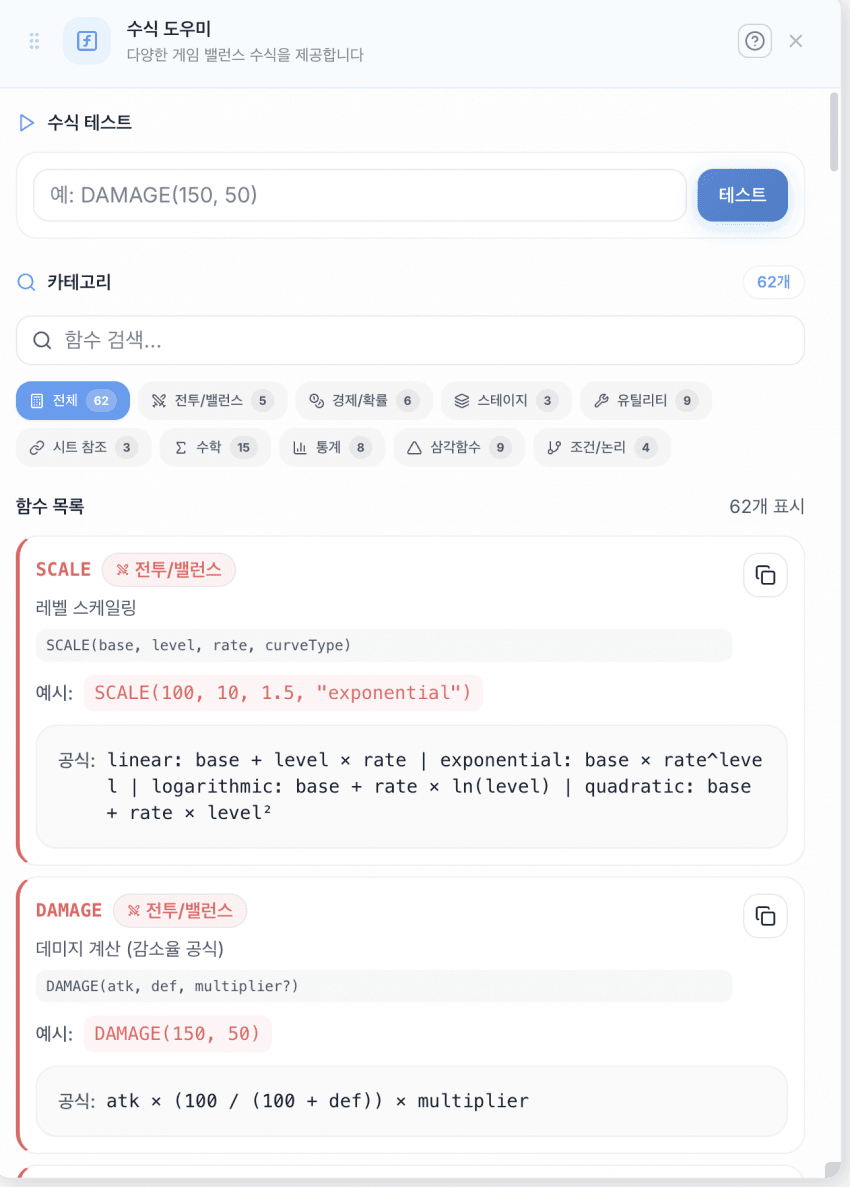
현재 툴에서 사용 가능한 함수 목록과 공식 설명을 제공해요. 엑셀의 VLOOKUP 대신 자체 참조 문법을 사용하고 있어요.
이전행.컬럼이름=글로벌설정.BASE_ATK * ATK배율기획자가 직관적으로 이해할 수 있는 수식 체계를 목표로 설계했어요.
12. 밸런스 검증기
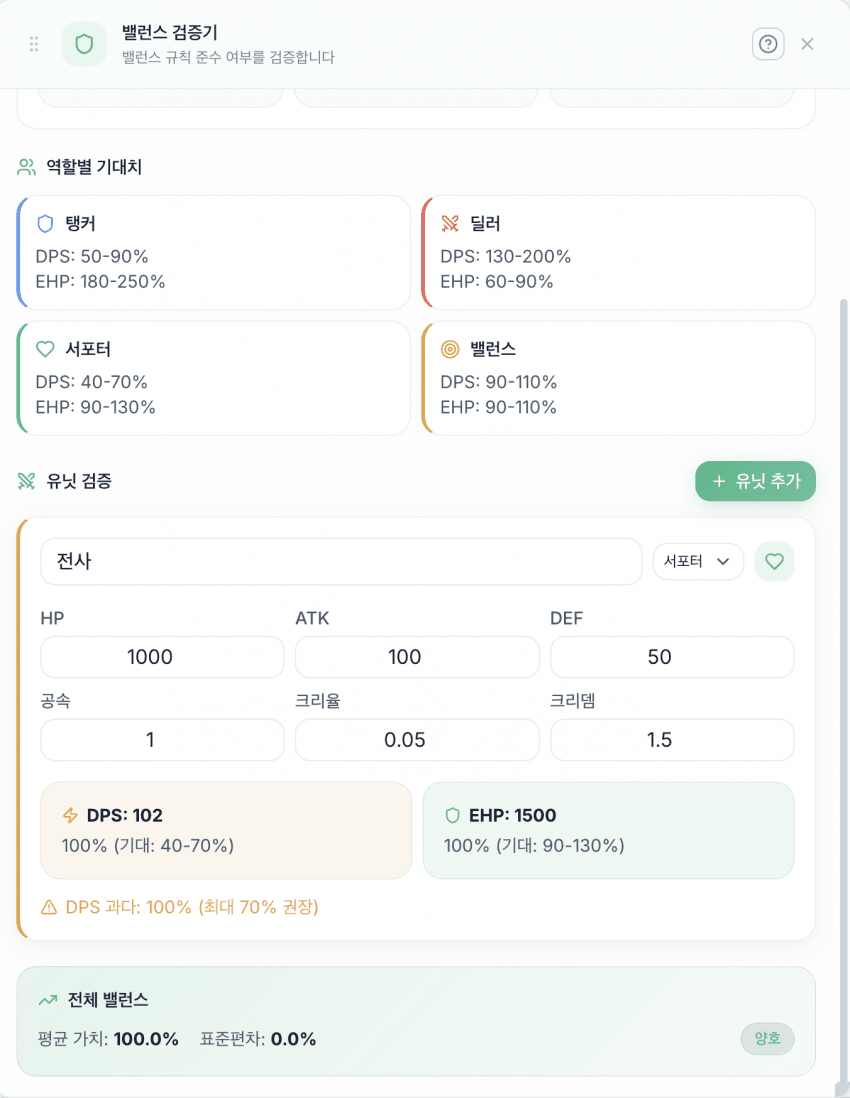
유닛을 만들기 전에 역할에 맞는 밸런스인지 이론적으로 검증하는 기능이에요. 사전 검증 단계로 활용해요.
13. 난이도 곡선
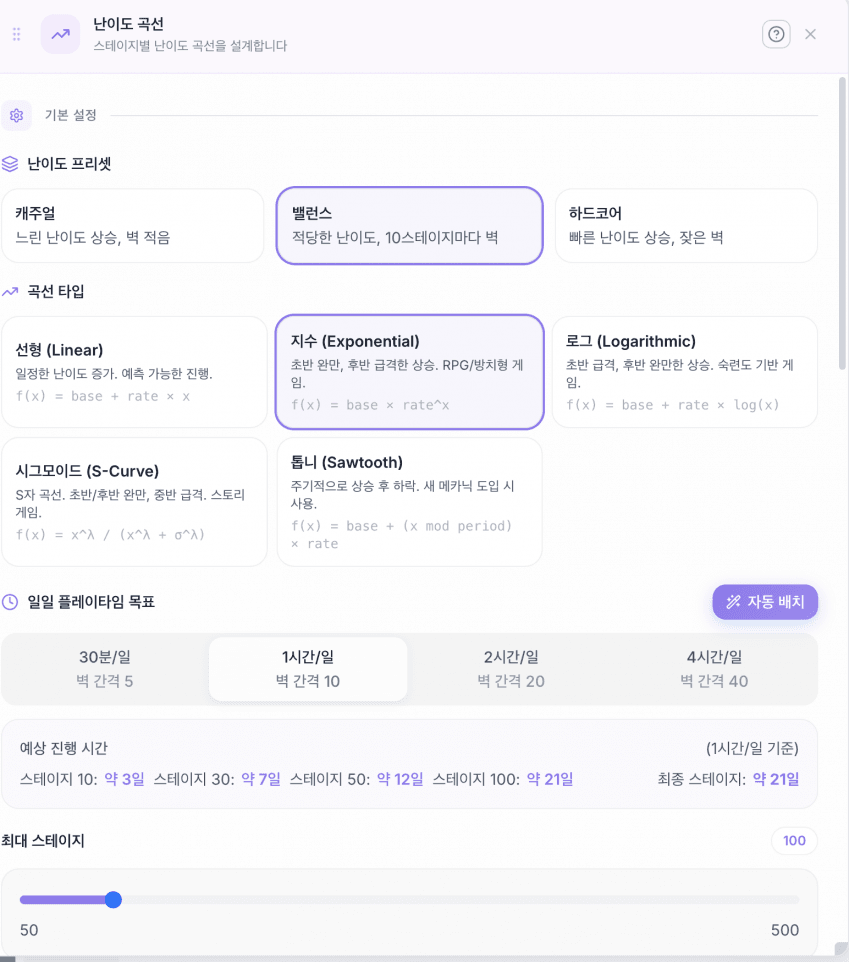
스테이지별 난이도를 시각화해요.
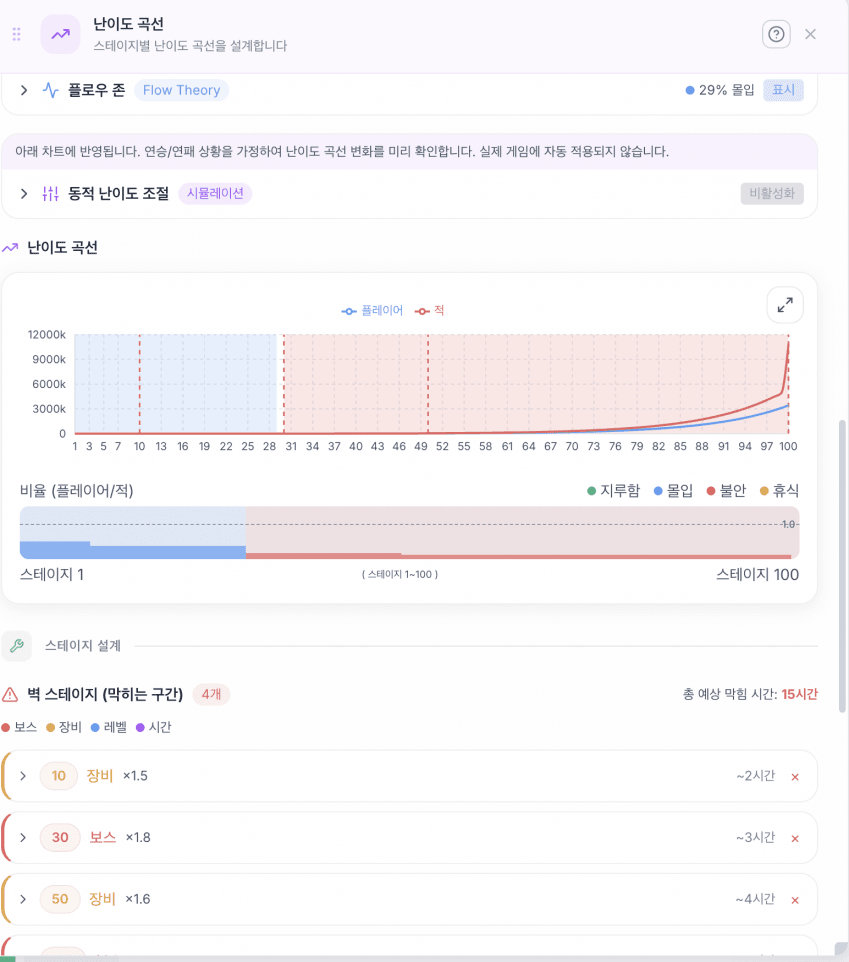
게임의 전체 난이도 흐름을 확인하고, 예상 플레이타임(일/시간 단위)을 측정할 수 있어요.
14. 전투 시뮬레이션
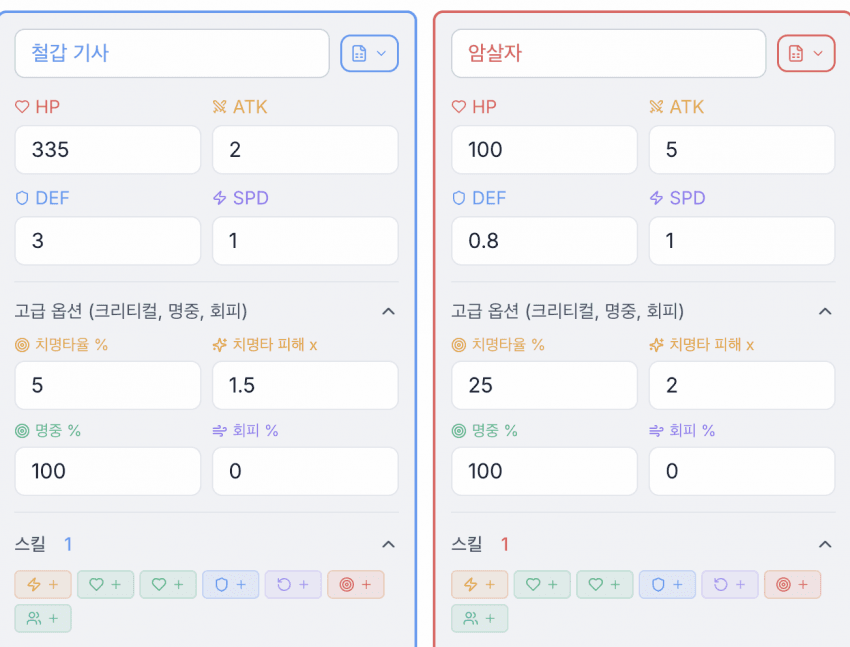
1:1 및 팀 전투 시뮬레이션 기능이에요. 지원하는 스킬 유형:
- 데미지, 즉시 힐, 지속 힐
- 무적, 부활 (자신/타인 선택 가능)
- 범위 공격, 범위 힐
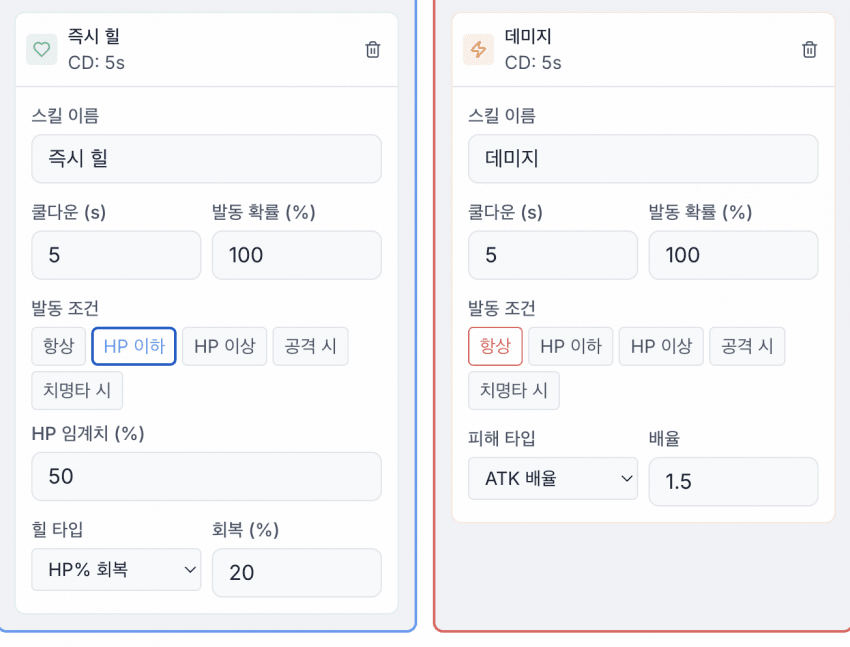
유닛별 스탯과 스킬을 설정해요.
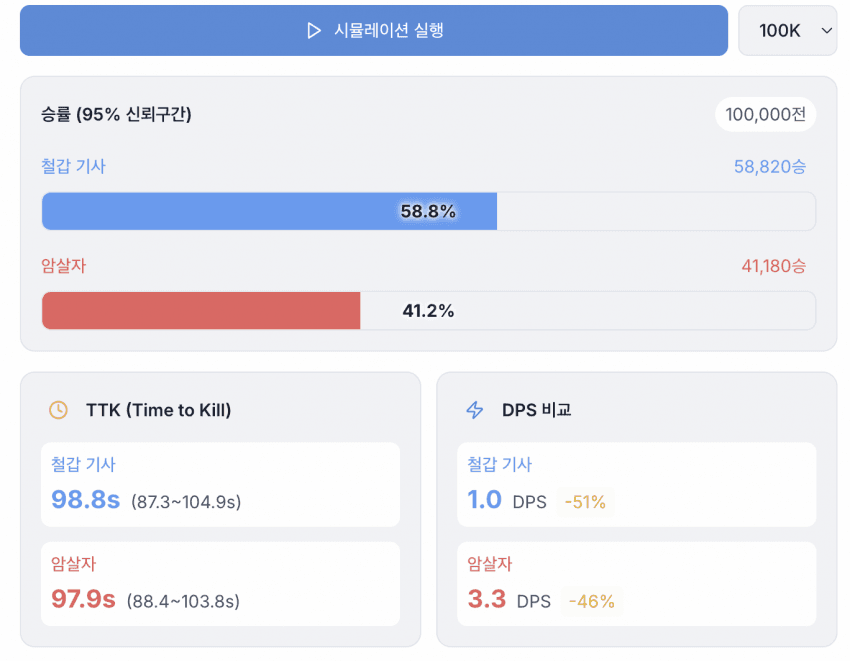
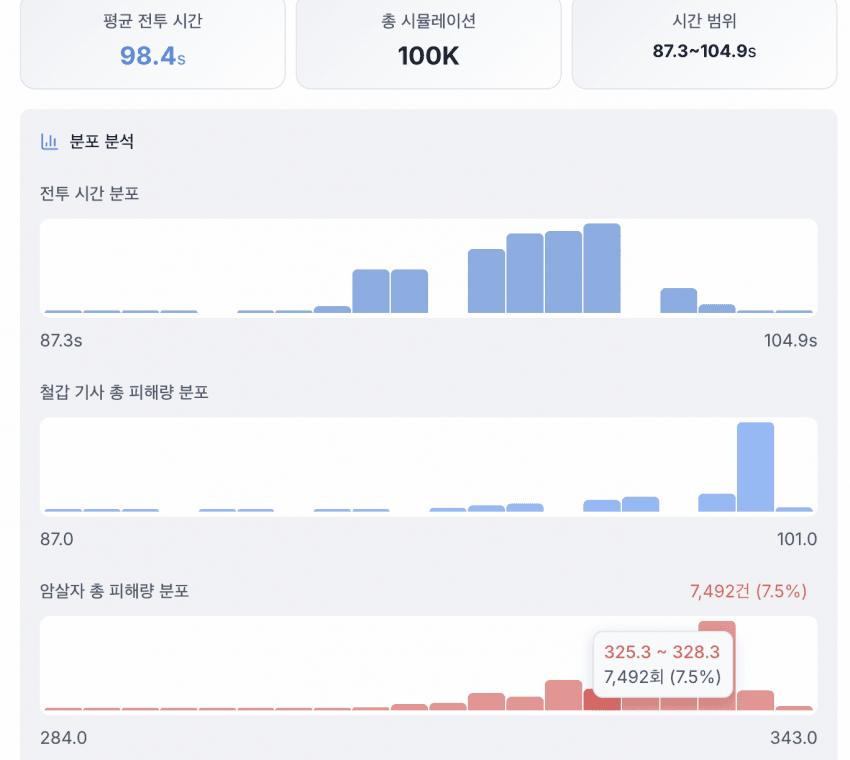
시뮬레이션 결과를 그래프로 확인할 수 있어요. 스킬 사용 시점도 그래프에 표시돼요.
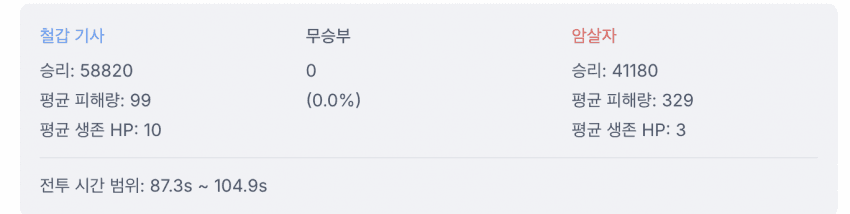
승률 통계와 신뢰구간을 제공해요.
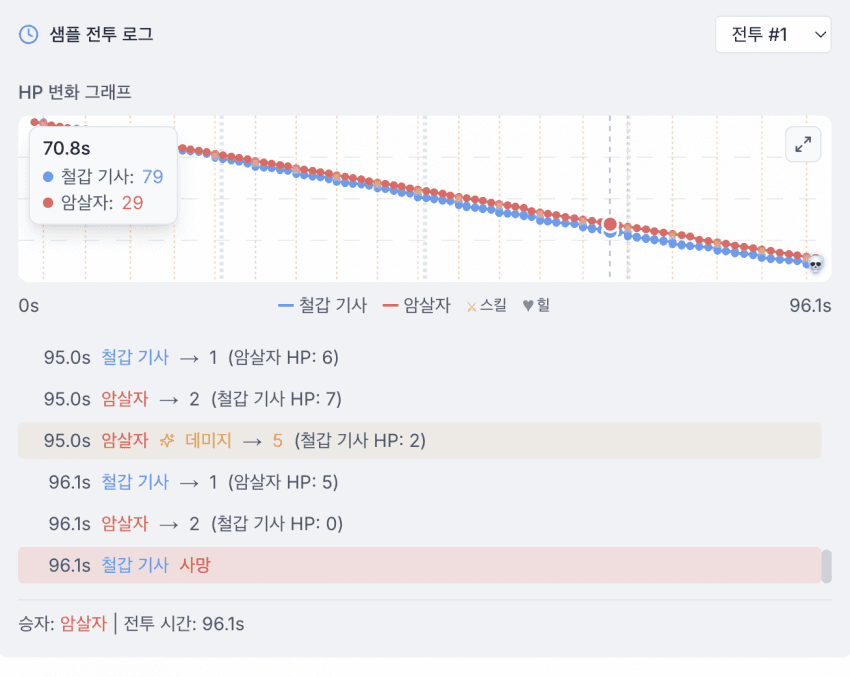
샘플 전투 로그를 상세히 재생할 수 있어요. 크리티컬 발생, 스킬 사용 등 모든 이벤트가 기록돼요.
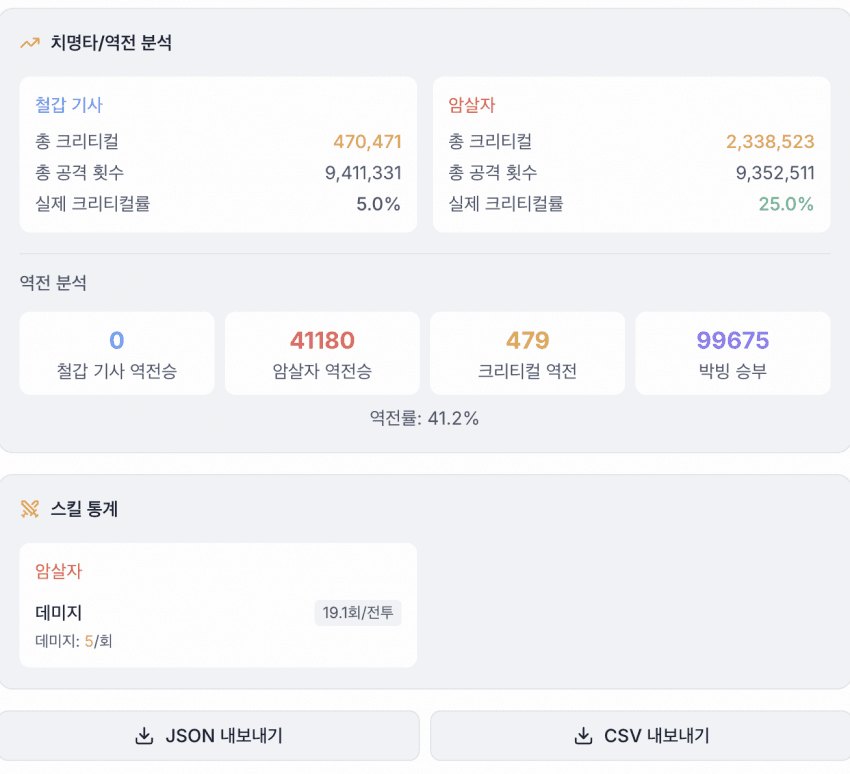
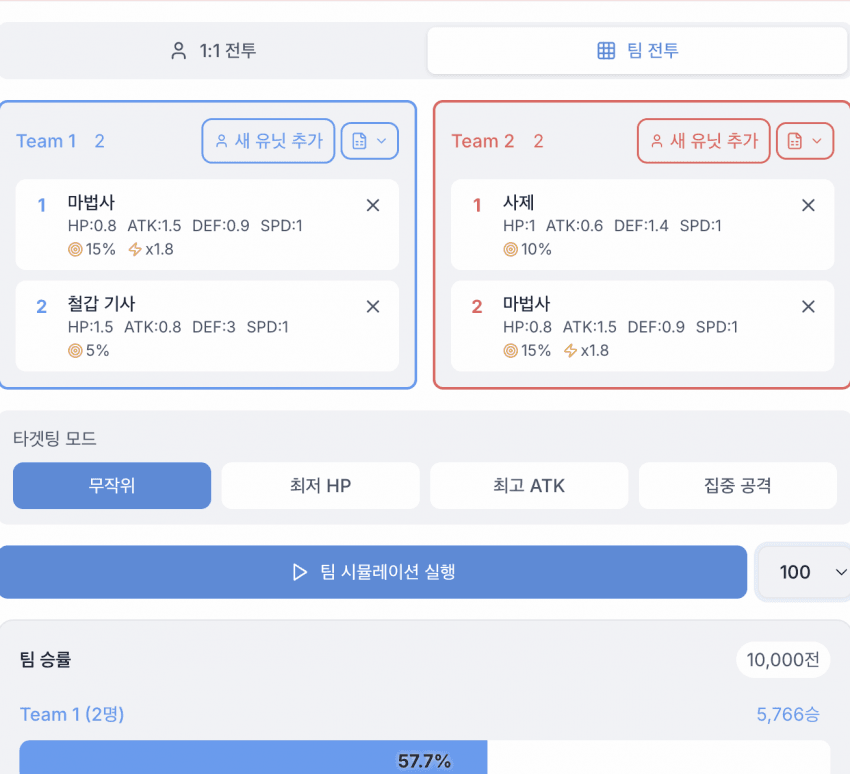
팀 전투(N:N)도 지원해요.
15. 엔티티 정의
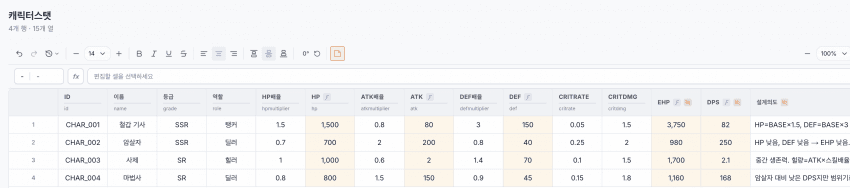
기존 시트 데이터를 기반으로 엔티티를 정의하는 기능이에요.
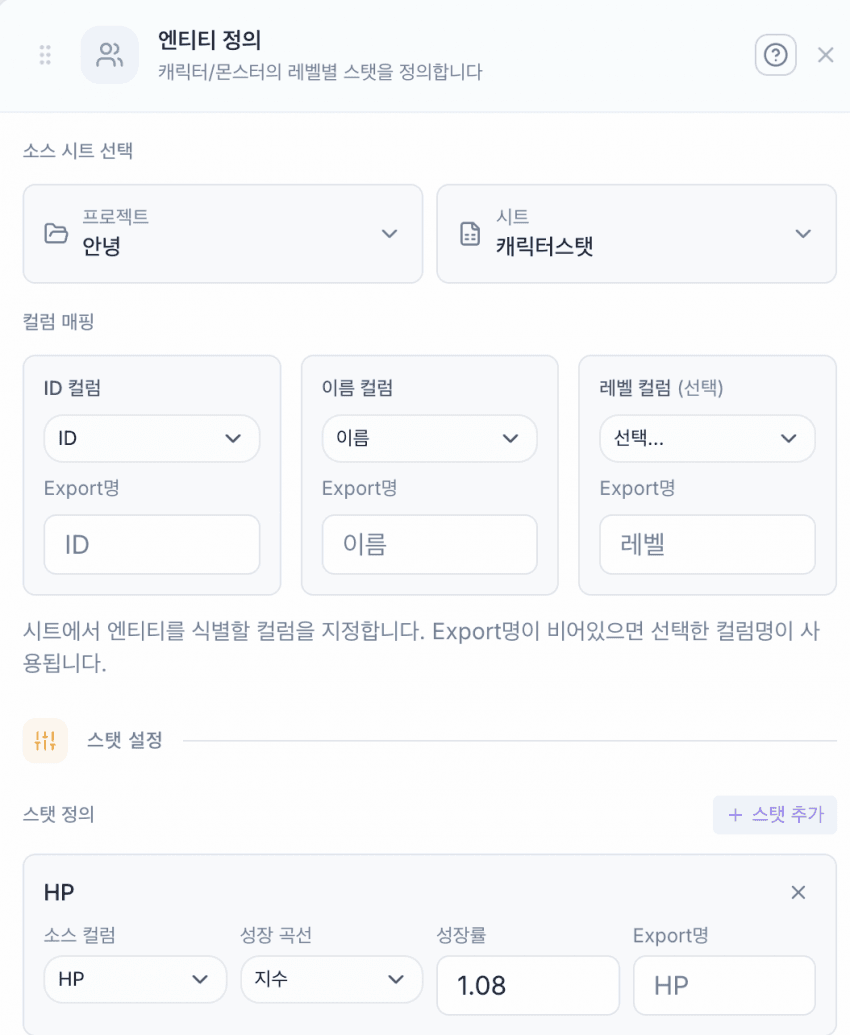
ID, 이름, 레벨 컬럼을 매핑해요.
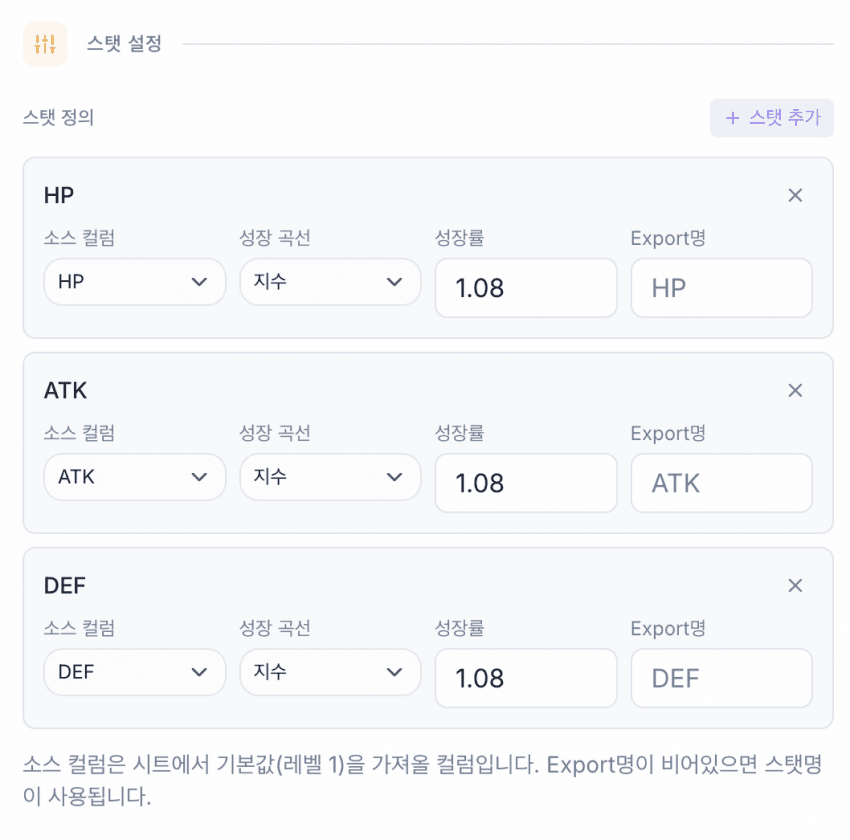
스탯을 설정해요.
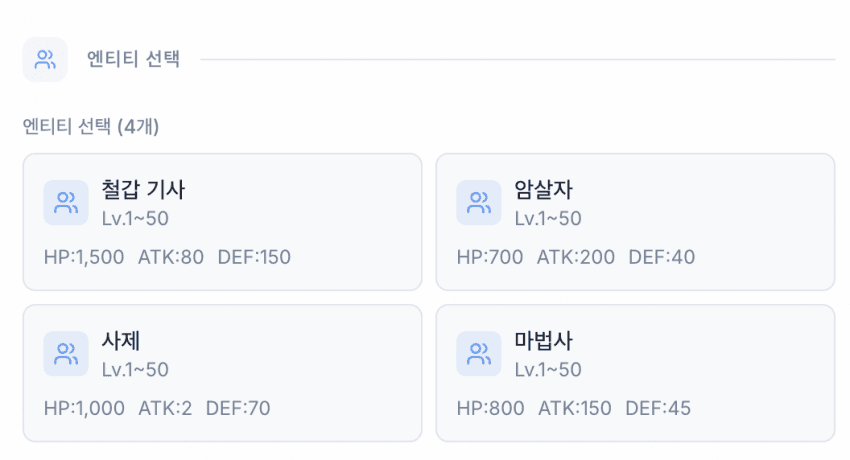
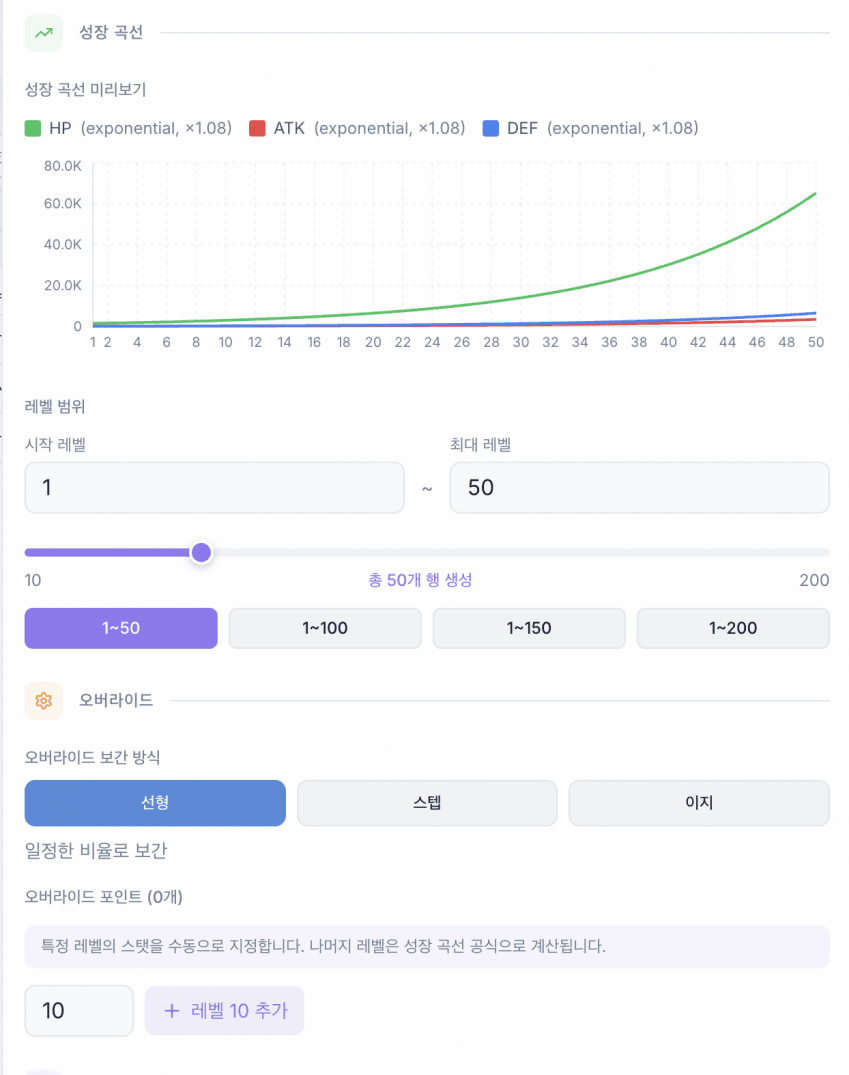
유닛을 선택하면 스탯 그래프가 표시돼요.
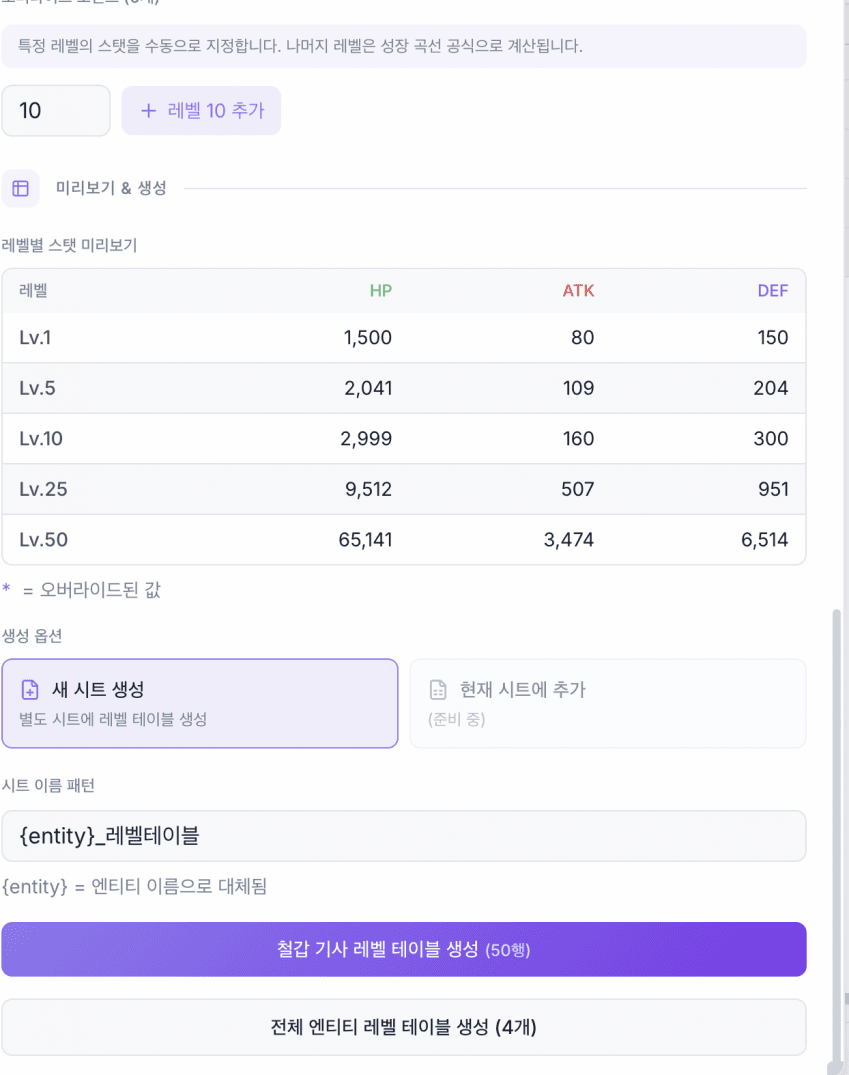
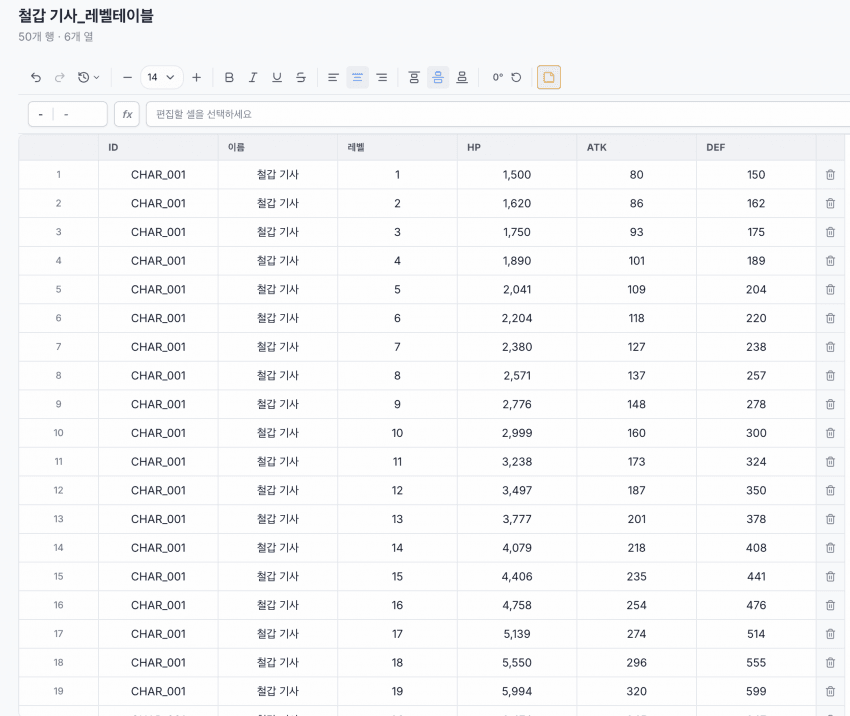
테이블 생성 버튼을 누르면 설정에 맞는 시트가 자동으로 생성돼요.
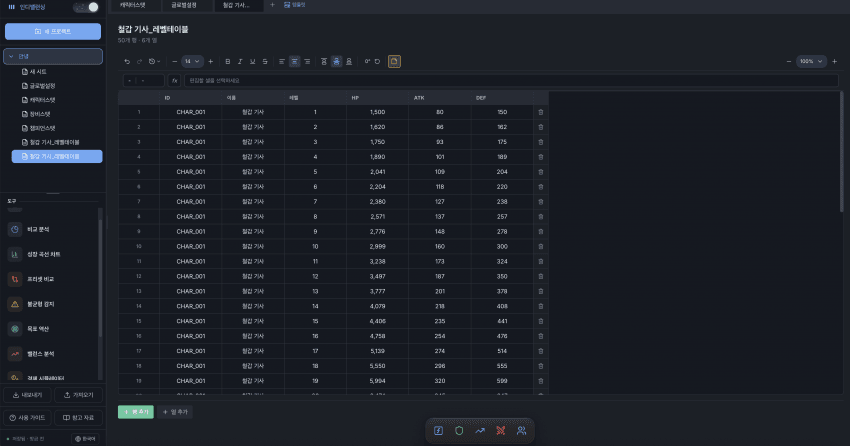
왼쪽 사이드바와 하단 독바에서 도구를 마우스 드래그로 이동할 수 있어요. 레이아웃을 자유롭게 커스터마이징할 수 있고요.
성능
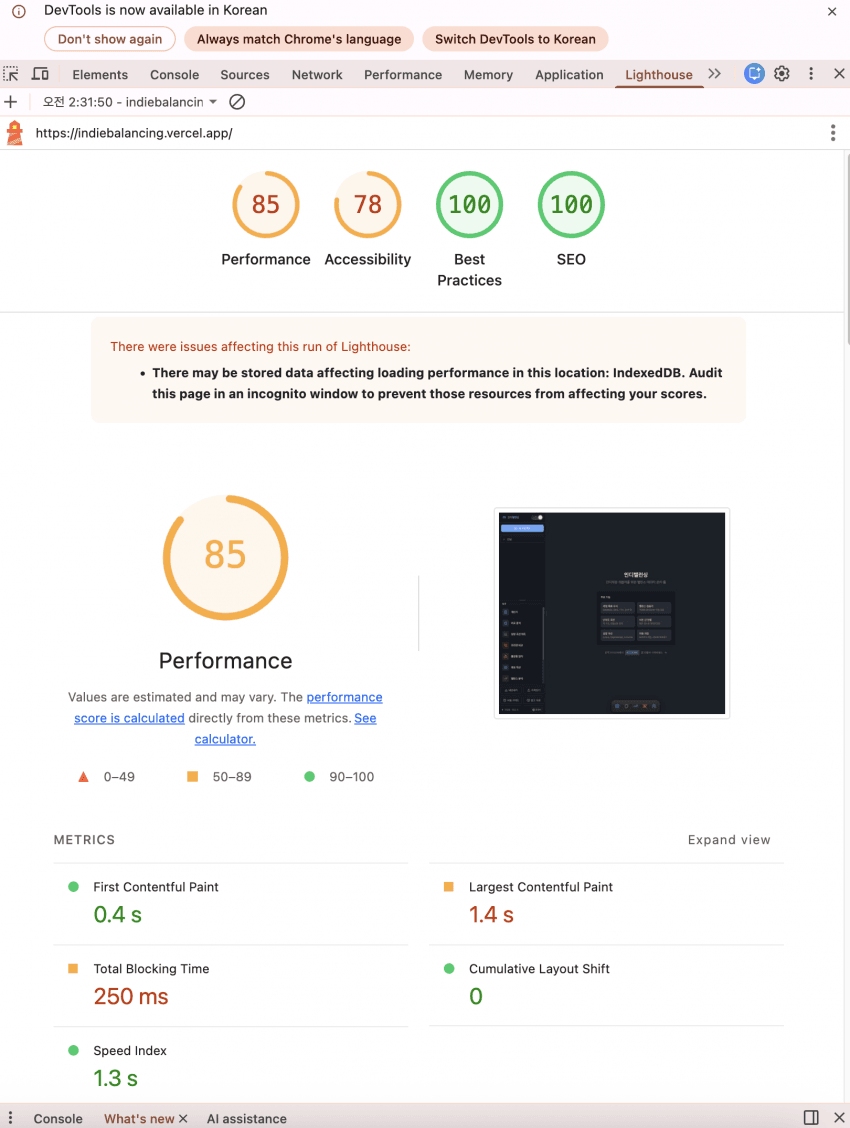
스프레드시트 특성상 렌더링 최적화가 필수적이었어요. requestAnimationFrame 기반 throttle, DOM 직접 조작, Set 자료구조를 활용한 O(1) 조회 등 오픈소스 코드를 분석해서 적용했어요.
링크
This documents the 15 core features released in the IndiBalancing MVP (Minimum Viable Product).
1. Calculator
A tool for performing simple numerical calculations needed for game balancing. Game-specific formulas like DPS, EHP, and TTK can be applied directly.
2. Comparative Analysis
Compares data within the same sheet using radar and bar charts. Distribution histograms let you check data distribution for specific columns.
3. Growth Curve Chart
Visualizes stat increases per level-up. Values can be directly customized.
Multiple scenarios and range-based graphs can be configured.
Supports interpolation at curve transition points.
Growth rate analysis feature.
Check XP requirements per level.
Predicts how many days it takes a real player to reach max level.
4. Preset Comparison
Takes snapshots of sheets for temporary storage, then compares against previous state when values change. Useful for checking value changes before and after balance patches.
5. Imbalance Detection
A Z-score based warning system that alerts when row values spike or drop sharply.
6. Goal Solver
Enter a desired result (e.g., TTK 3 seconds) and it reverse-calculates the required values (e.g., DPS 500).
7. Balance Analysis
Win rate matrix that runs unit-vs-unit simulations (up to 100 rounds) to compare matchups.
Power curve analysis. Visualizes unit power using linear/exponential/logarithmic curves.
Pearson correlation analysis. Numerically confirms correlations between stats.
Detects underutilized stat ranges.
Auto-generates stat growth tables per level. Currently supports HP, ATK, DEF, SPEED.
8. Economy Simulator
Supports online and single-player game modes. Simulates in-game currency flow to predict inflation and deflation.
9. DPS Variance Analysis
Runs DPS simulations, displays analysis results in graphs, and enables build-to-build comparison.
10. Curve Fitting
Draw a graph directly and it auto-generates formula code matching that curve.
11. Formula Helper
Provides a list of available functions and formula explanations. Uses its own reference syntax instead of Excel’s VLOOKUP.
previousRow.columnName=globalSettings.BASE_ATK * ATK_multiplierDesigned with a formula system that game designers can intuitively understand.
12. Balance Verifier
Theoretically validates whether a unit’s balance fits its role before creation. Used as a pre-validation step.
13. Difficulty Curve
Visualizes difficulty per stage.
Check the overall difficulty flow of the game and measure estimated playtime (in days/hours).
14. Combat Simulation
1v1 and team combat simulation. Supported skill types:
- Damage, instant heal, heal over time
- Invincibility, resurrection (self/ally selectable)
- AoE attack, AoE heal
Set stats and skills per unit.
View simulation results as graphs. Skill usage timing is also marked on graphs.
Provides win rate statistics and confidence intervals.
Replay sample combat logs in detail. All events including criticals and skill usage are recorded.
Team battles (NvN) are also supported.
15. Entity Definition
Define entities based on existing sheet data.
Map ID, name, and level columns.
Configure stats.
Select a unit to display its stat graph.
Press the table creation button to auto-generate a sheet matching the configuration.
Tools can be moved via mouse drag in the left sidebar and bottom dock bar. Layout is freely customizable.
Performance
Rendering optimization was essential given the spreadsheet nature. Applied requestAnimationFrame-based throttle, direct DOM manipulation, and O(1) lookups using Set data structures, all derived from analyzing open-source code.
Links
- Site: https://indiebalancing.vercel.app/
- Open Source: https://github.com/dj258255/indiebalancing

댓글
댓글 수정/삭제는 GitHub Discussions에서 가능합니다.